

Introduction
If you’re trying to stop recurring charges on your credit card, you’re not alone. A forgotten subscription or automatic renewal can continue billing you every month or year, even when you no longer use the service.
The good news is that you can usually stop these payments by canceling the subscription with the merchant and taking a few additional steps if the charges continue. Whether it’s a streaming service, gym membership, software subscription, or another recurring service, knowing what to do can help you avoid unwanted charges.
In this guide, you’ll learn how to stop recurring charges on your credit card, what to do if a company keeps billing you after cancellation, and when you may need to contact your credit card issuer.
What Are Recurring Charges on a Credit Card?
Recurring charges are automatic payments that a company regularly takes from your credit card for a subscription, membership, or ongoing service. These payments may happen every month, every year, or on another schedule you agreed to when signing up.
For example, you might have recurring charges for:
- Streaming services
- Gym memberships
- Software subscriptions
- Internet or phone services
- Cloud storage
- Online memberships
- Subscription boxes
Recurring billing is convenient when you actively use the service. However, forgotten subscriptions can lead to charges for services you no longer need.
It’s also important to understand that stopping a recurring charge is different from canceling the subscription. In most cases, you should cancel the service with the company first. If the company continues charging your card after cancellation, you can then contact your credit card issuer for help.
How to Identify Recurring Charges on Your Credit Card
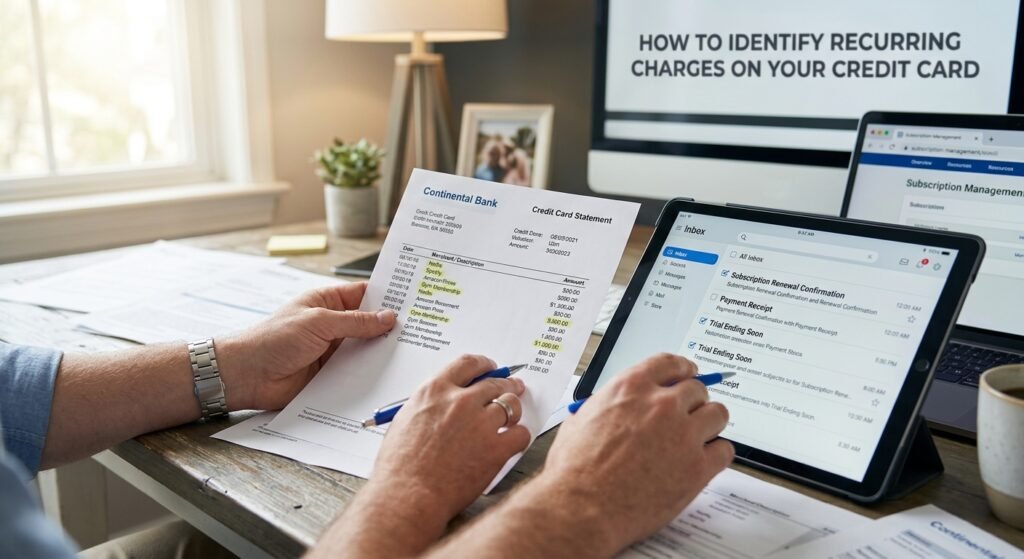
Before you can stop recurring charges, you need to know exactly where they are coming from. This is especially important when you have several subscriptions or memberships linked to the same credit card.
A recurring payment may also appear under a billing company or payment processor’s name instead of the brand name you recognize. Taking a few minutes to investigate the charge can help you avoid canceling the wrong service.
Review Your Credit Card Statement
Start by checking your recent credit card statements. Look for charges that appear more than once or have a similar amount and billing date each month or year.
Pay attention to:
- Merchant or company name
- Amount charged
- Date of each payment
- How frequently the charge appears
- Any transaction or reference number
If the same merchant appears regularly, it is likely a recurring payment.
Search Your Email for Subscription Details
Your email inbox can help you identify a charge you don’t immediately recognize. Search for words such as “subscription,” “renewal,” “payment,” “receipt,” or “order confirmation.”
You may find an old welcome email, payment receipt, or renewal notice that shows which account is connected to the recurring charge.
Check Your Active Subscriptions
Log in to websites and apps where you have previously signed up for memberships or free trials. Check their billing or subscription settings to see whether automatic renewal is enabled.
Pay particular attention to free trials. Some automatically become paid subscriptions when the trial period ends.
Look at the Billing History
Once you find a possible subscription, compare its billing history with your credit card statement. Matching the dates and amounts can confirm that you’ve found the source of the recurring charge.
After identifying the merchant, you’ll know exactly which subscription or service needs to be canceled.
How to Cancel a Recurring Credit Card Payment
Once you’ve identified the subscription responsible for the charge, the next step is to cancel it. In most cases, the merchant should be your first point of contact rather than your credit card company.
Cancel Through the Merchant’s Website
If the service allows online cancellation, sign in to your account and open the Billing, Subscription, or Membership section.
Look for an option such as Cancel Subscription or Turn Off Auto-Renewal. Complete all the required steps and make sure you receive a confirmation that the cancellation was successful.
Contact Customer Support
Some companies make cancellation less obvious or require you to speak with customer support. If you cannot find a cancellation option, contact the merchant directly.
Be clear that you want to cancel the subscription and stop future recurring payments. If possible, ask the representative to confirm the cancellation in writing.
Some companies make cancellation less obvious or require you to speak with customer support. If you cannot find a cancellation option, contact the merchant directly. You can also review the FTC’s guidance on subscriptions and recurring charges for additional information.
Keep Proof of Cancellation
Don’t delete your confirmation email or other cancellation records. Save a screenshot, email, chat transcript, or cancellation number showing when you canceled the service.
This proof can be useful if the merchant charges your credit card again after cancellation.
Check Your Next Statement
After canceling, review your next credit card statement. If another payment appears from the same merchant, compare the charge date with your cancellation date.
If the charge occurred after the cancellation was confirmed, contact the merchant first and then speak with your credit card issuer if the issue is not resolved.
What to Do If a Recurring Charge Continues After Cancellation
Canceling a subscription should normally stop future billing, but sometimes a payment can still appear afterward. If this happens, don’t immediately cancel your credit card. First, check whether the charge was processed before or after your cancellation.
Confirm the Cancellation Date
Find the confirmation email, cancellation message, or screenshot you saved when you canceled the service. Compare the cancellation date with the date of the new charge.
If the payment was processed before you canceled, it may be a legitimate final charge depending on the company’s billing terms. A payment made after your confirmed cancellation deserves closer attention.
Contact the Merchant Again
Reach out to the company and explain that you already canceled the subscription but were charged again.
Give them:
- Your account or subscription details
- The date you canceled
- The date and amount of the new charge
- Your cancellation confirmation
Ask the company to stop any future billing and, if appropriate, refund the payment.
Contact Your Credit Card Issuer
If the merchant doesn’t resolve the problem, contact your credit card issuer. Explain that you canceled the recurring service but another payment was made afterward.
Your card issuer can tell you what options are available for stopping future recurring transactions or disputing a charge.
Keep All Your Records
Save your emails, chat conversations, receipts, cancellation confirmations, and credit card statements. Having a clear record makes it easier to explain what happened if you need to escalate the issue.
Taking these steps can help you stop recurring charges without unnecessarily replacing or canceling your entire credit card.
How to Stop Unauthorized Recurring Charges
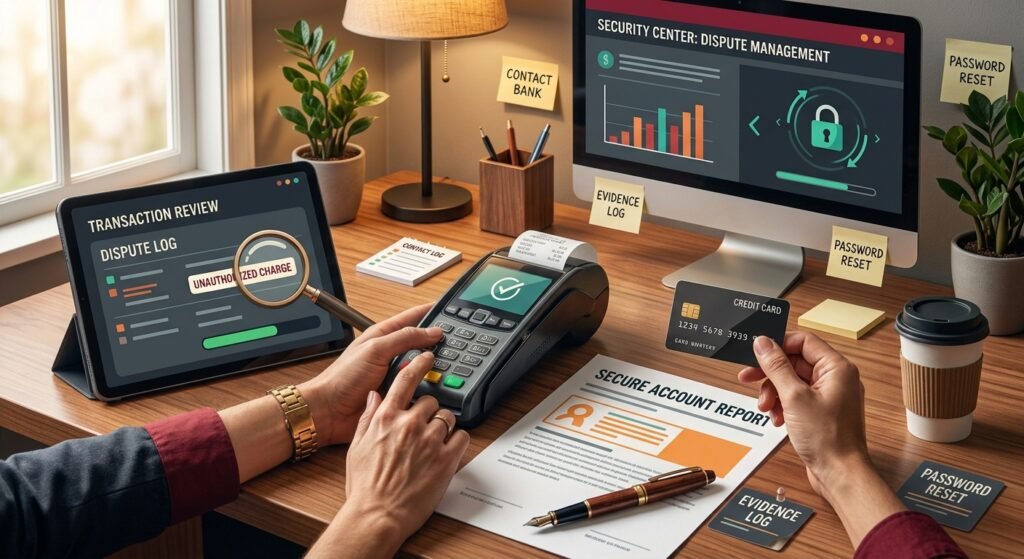
Sometimes a recurring charge isn’t a forgotten subscription but a payment you never approved. If you don’t recognize the merchant or don’t remember agreeing to recurring billing, take the time to investigate before assuming it is fraud.
Check Where the Charge Came From
Start by looking at the merchant name, amount, and date on your credit card statement. Some businesses use a different billing name from the brand you know.
Search your email for payment receipts, subscription confirmations, and renewal notices. Also check whether another family member used your card to sign up for a service.
If you still cannot connect the payment to a service you authorized, treat the charge as potentially unauthorized.
Contact Your Credit Card Issuer
Contact your card issuer and explain that you don’t recognize the recurring transaction. Ask what steps you need to take to report or dispute the charge.
The issuer may ask you for details such as the transaction date, amount, merchant name, and whether you have previously contacted the merchant.
The issuer may ask you for details such as the transaction date, amount, merchant name, and whether you have previously contacted the merchant. You can also learn more about how the chargeback process works before starting a dispute.
Review Your Recent Transactions
Don’t look at only one charge. Check your recent statements for other unfamiliar payments from the same merchant or different merchants.
Finding multiple suspicious transactions can help you give your card issuer a clearer picture of the problem.
Secure Your Accounts
If you think someone may have gained access to your card or an online account, change the relevant passwords and enable additional security features where available.
Continue checking your statements after reporting the charge. Early detection can help you stop recurring charges before they continue for several billing cycles.
Keep Documentation
Save copies of your statements, emails, receipts, and any communication with the merchant or card issuer. These records can be useful if you need to provide additional information during a dispute.
If you discover that the charge actually belongs to a subscription you knowingly started, cancel the subscription with the merchant instead of reporting a legitimate payment as unauthorized.
Should You Replace Your Credit Card to Stop Recurring Charges?
When you want to stop recurring charges, replacing your credit card may seem like the easiest solution. However, getting a new card does not always cancel the subscription or guarantee that future payments will stop.
In most situations, it is better to deal with the subscription directly first. Replacing the card should generally be reserved for situations involving compromised card information or unauthorized transactions.
Why Replacing Your Card May Not Stop the Payments
A new credit card usually has a different card number, expiration date, and security code. However, some merchants and payment networks may receive updated card details automatically through card updater services.
As a result, a subscription you forgot to cancel could potentially continue charging the replacement card.
This is why simply replacing your card is not a reliable way to cancel a subscription.
Cancel the Subscription With the Merchant
If you recognize the recurring charge, contact the company that is billing you and cancel the subscription directly.
Check your account’s Billing, Subscription, or Membership section and turn off automatic renewal if that option is available.
After canceling, save your confirmation email or screenshot. This gives you proof of the cancellation if the merchant charges you again.
Contact Your Card Issuer if the Problem Continues
If you canceled the subscription but the merchant continues billing your card, contact your credit card issuer. Explain that you already canceled the service and that additional recurring charges are still appearing.
Your card issuer can explain what options are available for stopping future payments or disputing charges, depending on the circumstances.
When Replacing Your Card Makes Sense
A replacement card may be appropriate if you believe your card information has been stolen or compromised. It may also be necessary if you notice several transactions that you did not authorize.
In these situations, contact your card issuer promptly. They can review the suspicious activity and tell you whether the card should be replaced.
Keep Monitoring Your Statements
Whether you cancel a subscription or replace your card, continue checking your credit card statements. Look for unexpected charges and make sure legitimate subscriptions are still billing correctly.
The goal is not simply to get a new card but to stop the recurring payment at its source and protect your account from further unwanted charges.
How to Prevent Recurring Credit Card Charges in the Future
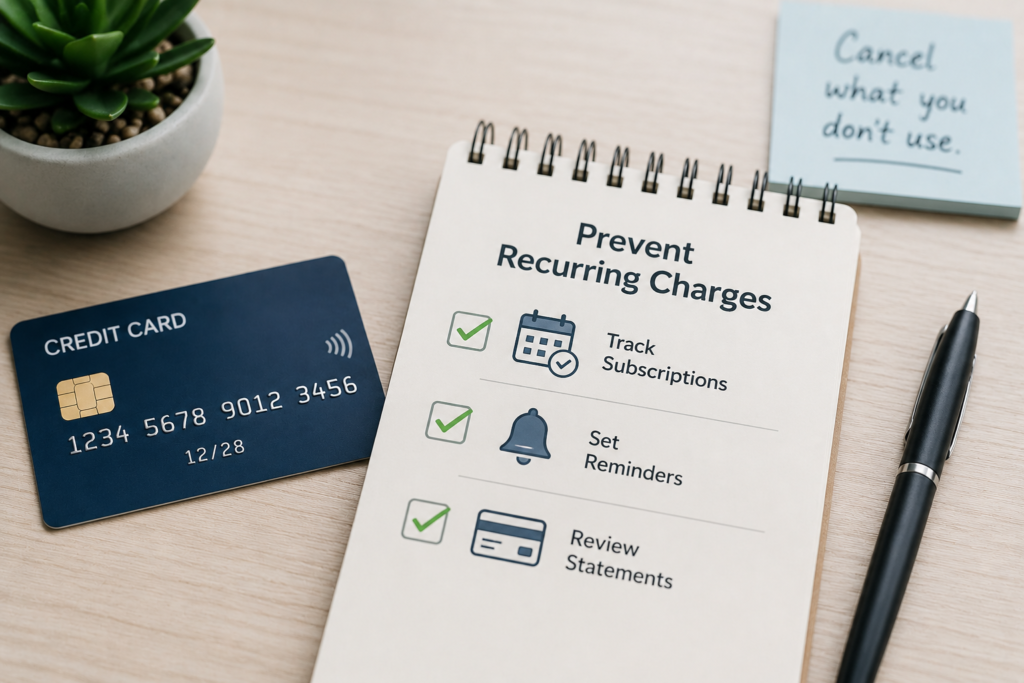
Once you stop recurring charges, a few simple habits can help prevent unwanted subscriptions from building up again. You don’t need to avoid subscriptions altogether; the key is keeping track of what you sign up for and when it renews.
Keep a List of Your Subscriptions
Make a simple list of your active subscriptions, memberships, and other services that automatically charge your credit card.
Include the:
- Service or merchant name
- Monthly or annual cost
- Billing date
- Renewal date
- Payment method
Review this list every few months and remove services you no longer use.
Set Reminders Before Annual Renewals
Monthly subscriptions are usually easy to notice, but annual plans can be forgotten for an entire year. Set a calendar reminder a few days or weeks before an annual subscription renews.
This gives you time to decide whether you still need the service before another payment is made.
Check Your Statements Regularly
Don’t wait until you notice a large unexpected bill. Review your credit card statements regularly and look for recurring payments you no longer recognize or need.
Catching an unwanted subscription early can save you money and make cancellation easier.
Be Careful With Free Trials
Free trials can automatically turn into paid subscriptions when the trial period ends. Before signing up, check the trial’s cancellation and billing terms.
If you don’t plan to continue the service, set a reminder to cancel before the trial expires.
Turn Off Auto-Renewal When Appropriate
Some services allow you to keep access until the end of your current billing period while turning off automatic renewal. If you know you don’t want the subscription to renew, this can help prevent another charge.
Use One Payment Method for Subscriptions
Using one dedicated credit card for subscriptions can make recurring payments easier to track. When you review that card’s statement, you’ll have a clearer picture of all your active subscriptions in one place.
With regular reviews and timely cancellations, you can reduce unwanted recurring charges and keep better control of your credit card spending.
Can Your Credit Card Company Stop Recurring Charges?
If a merchant keeps charging your credit card after you’ve canceled a subscription, you may wonder whether your credit card company can simply block the payments. The answer depends on your card issuer, the type of transaction, and the circumstances surrounding the charge.
Contact the Merchant First
If you recognize the company making the charge, start by contacting the merchant and canceling the subscription. This is usually the most direct way to end the billing agreement.
Keep proof that you requested cancellation. If the merchant continues charging you, this information can help when you contact your card issuer.
Ask Your Card Issuer About Available Options
If the payments continue, call the number on the back of your credit card and explain the situation. Tell the representative that you canceled the recurring service but are still seeing charges.
Your card issuer can explain whether it can place a stop on future recurring transactions or provide another solution. Policies can vary between card providers, so don’t assume that every issuer handles recurring payments in exactly the same way.
Dispute Charges When Appropriate
If a charge was made after you canceled the service or you never authorized the transaction, ask your issuer whether you can dispute it.
Be ready to provide the merchant name, transaction dates, amounts, and evidence of your cancellation or previous communication with the company.
Continue Monitoring Your Account
Even after contacting your card issuer, continue reviewing your statements. Make sure the recurring charges have stopped and watch for any new transactions you don’t recognize.
Taking action with both the merchant and your card issuer gives you a better chance of resolving the problem instead of simply hoping the next payment will disappear.
Frequently Asked Questions About Recurring Credit Card Charges
Can I stop a recurring charge directly through my credit card?
You can contact your credit card issuer if a recurring payment continues after you’ve canceled the service. Your issuer can explain what options are available for stopping future transactions or disputing a charge.
Will canceling my credit card stop all recurring payments?
Not necessarily. Some recurring payments may continue through updated card information. It’s better to cancel each unwanted subscription directly with the merchant and keep proof of cancellation.
What should I do if a company charges me after I cancel?
First, contact the merchant and explain that you already canceled the service. Ask them to stop future billing and refund the charge if appropriate. If the issue isn’t resolved, contact your credit card issuer and ask about your options.
Can I dispute a recurring charge I don’t recognize?
Yes, you can contact your card issuer if you believe a recurring charge is unauthorized. Before reporting it, check your subscriptions, email receipts, and account history to make sure the payment isn’t from a service you previously authorized.
How can I avoid unwanted recurring charges?
Review your credit card statements regularly, keep track of active subscriptions, set reminders for annual renewals, and cancel services you no longer use. Checking free-trial terms before signing up can also help you avoid unexpected automatic billing.
Conclusion
Unwanted recurring charges can be frustrating, but you don’t have to keep paying for a subscription you no longer want. The first step is to identify the merchant and cancel the service directly. Always keep a cancellation confirmation or other proof in case another payment appears later.
If the merchant continues charging your credit card, contact your card issuer and ask about available options for stopping future payments or disputing the charge. For unauthorized transactions, act promptly and continue monitoring your account.
By regularly reviewing your statements, tracking your subscriptions, and setting reminders for renewals, you can stop recurring charges and avoid many unwanted payments in the future.