Introduction
Many dating apps offer premium subscriptions with extra features, such as unlimited likes, advanced filters, and the ability to see who viewed your profile. While these memberships can improve your experience, they often renew automatically unless you cancel them before the next billing date.
If you need to cancel a dating app subscription, it is important to understand how auto-billing works and when your subscription actually ends. Simply deleting the app from your phone does not always stop future charges.
In this guide, you will learn how to cancel a dating app subscription, stop auto-billing, avoid unwanted renewal fees, and confirm that your subscription has been successfully canceled.
How Dating App Subscriptions and Auto-Billing Work
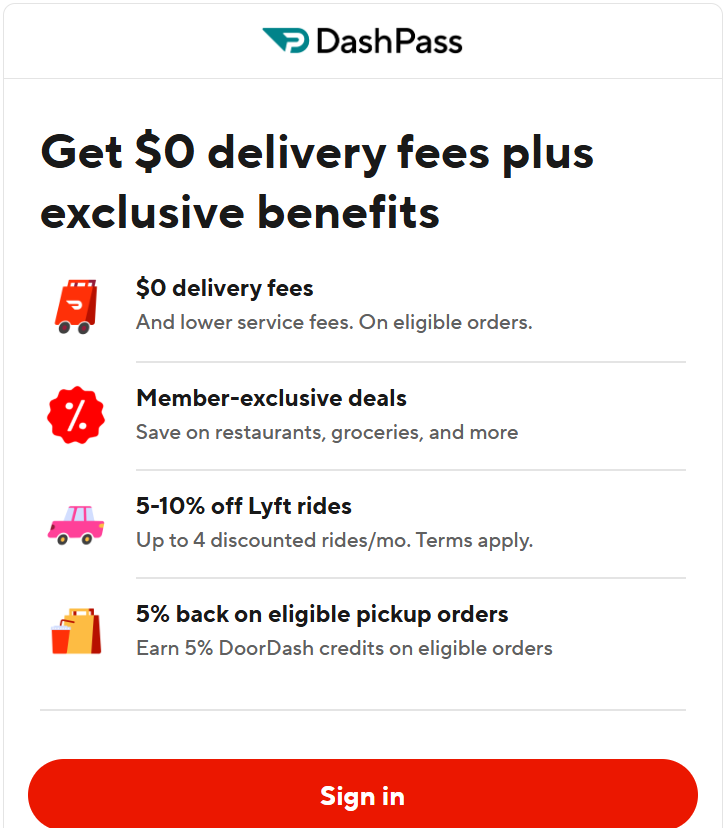
Before you cancel your subscription, it helps to understand how dating app memberships are billed. Most premium dating apps use recurring payments, which means your subscription renews automatically at the end of each billing cycle unless you cancel it in advance.
Depending on how you subscribed, your payments may be processed directly by the dating app, through the Apple App Store, or through Google Play. The cancellation steps can vary based on the payment method, so identifying where your subscription is managed is an important first step.
Common Subscription Plans
Dating apps typically offer several billing options, such as:
- Weekly subscriptions
- Monthly plans
- Three-month memberships
- Six-month subscriptions
- Annual premium plans
Longer plans often cost less per month but may require a larger upfront payment.
Why Auto-Billing Continues
Many users believe that deleting the app or logging out automatically cancels their subscription. In most cases, this is not true. Unless you cancel the subscription through the correct billing platform, your payment method may continue to be charged when the next renewal date arrives.
Check Where You Purchased the Subscription
Before starting the cancellation process, confirm how you signed up. Your subscription may have been purchased through:
- The dating app’s official website
- Apple App Store
- Google Play Store
- Another authorized payment provider
Knowing where your subscription is managed will help you follow the correct cancellation steps and reduce the risk of unexpected renewal charges.
Tip: Check your account settings or payment history before canceling. Confirming your billing method first can save time and help ensure that auto-billing is stopped successfully.
How to Cancel a Dating App Subscription
The cancellation process depends on where you originally purchased your subscription. Some users subscribe directly through the dating app, while others are billed through Apple or Google. Choosing the correct cancellation method is important because canceling in the wrong place may not stop future charges.
If You Subscribed Through the Dating App
Many dating apps allow users to manage their subscriptions from the account settings on their website or within the app. After signing in, look for sections such as Subscription, Membership, Billing, or Manage Plan.
Before confirming the cancellation, review the following:
- Your next renewal date
- Whether your current benefits remain active until the billing period ends
- Any refund policy that may apply
- Confirmation that automatic renewal has been turned off
Always save the cancellation confirmation email or screenshot for your records.
If You Subscribed Through the Apple App Store
If your subscription was purchased through Apple, you must manage it from your Apple ID subscription settings. Canceling your dating app account alone will not stop the recurring payment handled by Apple.
After canceling, verify that the subscription status changes to indicate that it will expire at the end of the current billing cycle instead of renewing automatically.
If You Subscribed Through Google Play
Android users who purchased a subscription through Google Play should cancel it from their Google account subscriptions. Once the cancellation is complete, check that the renewal date has been removed or updated to reflect the cancellation.
Compare Your Cancellation Options
| Subscription Source | Where to Cancel | Auto-Billing Stops? |
|---|---|---|
| Dating App Website | Account or Billing Settings | Yes, after confirmation |
| Apple App Store | Apple ID Subscriptions | Yes, when canceled through Apple |
| Google Play Store | Google Play Subscriptions | Yes, when canceled through Google Play |
Confirm That the Cancellation Was Successful
After completing the process, do not assume everything is finished. Open your subscription settings again and check whether the status shows Canceled, Expires on, or Renews: Off, depending on the platform you used.
Keeping a copy of the cancellation confirmation can help if you need to question a future charge or prove that you canceled before the renewal date.
Remember: Canceling your dating app account is not always the same as canceling your subscription. Always verify that the recurring payment has been turned off through the platform that processes your billing
Things to Check Before You Cancel Your Dating App Subscription
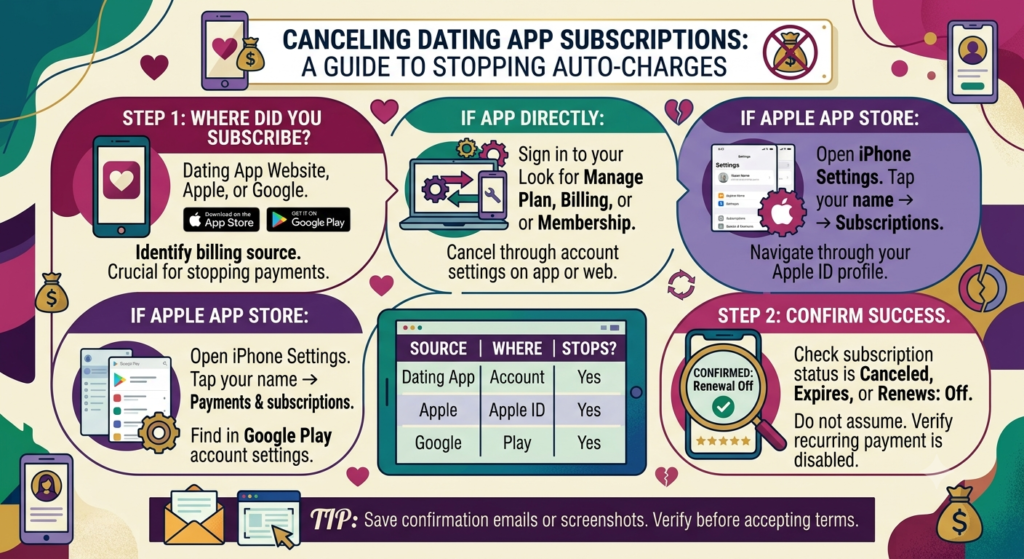
Canceling your subscription takes only a few minutes, but spending a little time preparing beforehand can help you avoid billing problems and unnecessary confusion. Before confirming your cancellation, review the following details to ensure the process goes smoothly.
Verify Your Billing Platform
The first thing you should confirm is where your subscription is managed. Some users subscribe directly through the dating app, while others purchase their membership through the Apple App Store or Google Play Store. You must cancel your subscription through the same platform that processes your payments.
Check Your Next Renewal Date
Review your account settings to find the next billing date. Canceling before the renewal date helps prevent another automatic charge. If you wait until the last minute, your payment may already be processing, and you could be charged for another billing cycle.
Review the Refund Policy
Not every dating app offers refunds after a subscription renews. Read the platform’s refund policy to understand whether you are eligible for a refund or whether your premium features will remain active until the current billing period ends.
Save Important Information
If you have conversations, profile details, or receipts that you may need in the future, save them before making changes to your account. While canceling a subscription does not always delete your profile, some users choose to close their accounts afterward, which could limit access to certain information.
Confirm Your Payment Method
Check which debit card, credit card, PayPal account, or digital wallet is linked to your subscription. Knowing your payment method makes it easier to identify future charges and verify that auto-billing has stopped after cancellation.
Prepare for the Final Billing Cycle
After canceling, your subscription will usually remain active until the end of the current billing period. Continue enjoying your premium features during this time, but monitor your account and payment statements to ensure that no additional renewal charges are processed.
Tip: Spending a few extra minutes reviewing your subscription details before canceling can help you avoid mistakes, protect your payment information, and ensure that auto-billing is successfully turned off.
How to Stop Auto-Billing Before Your Next Renewal
Many users cancel their dating app account but are surprised when another payment is charged a few days later. This usually happens because the recurring subscription was not canceled correctly or the cancellation was made after the renewal deadline.
Stopping auto-billing requires more than simply uninstalling the app. Taking a few extra steps can help ensure that your subscription does not renew automatically.
Review Your Renewal Date
Before making any changes, check the date of your next payment. Most dating apps display the renewal date in your subscription or billing settings. Canceling before this date gives you the best chance of avoiding another charge.
Verify That Automatic Renewal Is Disabled
After submitting your cancellation request, return to your subscription settings and confirm that automatic renewal has been turned off. Depending on the platform, you may see messages such as:
- Subscription canceled
- Renews: Off
- Expires on followed by the end date
- Auto-renew disabled
If you do not see one of these confirmations, your subscription may still be active.
Remove Unused Payment Methods
If you no longer plan to use the dating app, review the payment methods linked to your account. While removing a payment method does not always cancel an active subscription, it is a good opportunity to update your billing information and manage future purchases.
Keep Your Confirmation Email
Save any confirmation email or receipt that proves your subscription has been canceled. If an unexpected renewal charge appears later, this document can help you resolve the issue with the app’s support team or your payment provider.
Check Your Next Bank or Card Statement
After the expected renewal date has passed, review your bank or credit card statement to make sure no additional charges were processed. If you notice an incorrect payment, contact the dating app or your payment provider as soon as possible.
Tip: The safest way to avoid unwanted renewal charges is to cancel your dating app subscription several days before the next billing date instead of waiting until the last minute.
Helpful Resource: To learn more about recurring charges, automatic renewals, and your consumer rights, visit the official Federal Trade Commission (FTC) website.
What If You Are Still Being Charged After Canceling?
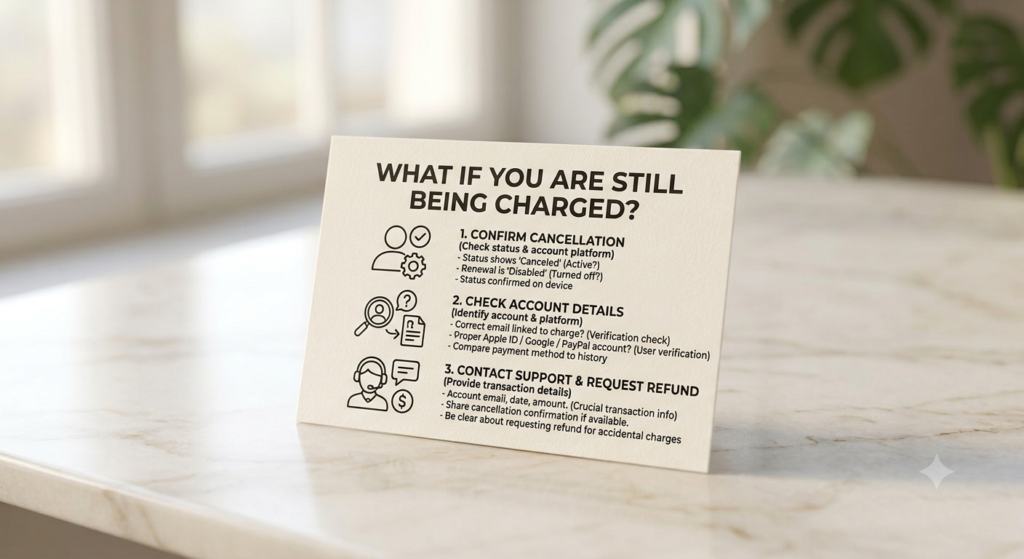
Seeing another payment after canceling your subscription can be frustrating. In many cases, the charge is caused by a missed renewal deadline, an active subscription on a different billing platform, or a cancellation that was not completed successfully. Before assuming the charge is an error, take a few minutes to investigate what happened.
Confirm That the Subscription Was Actually Canceled
Open the platform where you purchased the subscription and check its current status. Your account should clearly indicate that the subscription has been canceled or that automatic renewal has been turned off. If it still shows as active, complete the cancellation process before the next billing cycle.
Check Which Account Was Charged
Some users have more than one Apple ID, Google account, or email address. If you subscribed using a different account, you may have canceled the wrong subscription while the active one continued to renew.
Review your purchase history and billing account to confirm which account is linked to the payment.
Contact Customer Support
If your subscription shows as canceled but you were still charged, contact the dating app’s customer support team. Provide:
- Your account email address
- The transaction date
- The payment amount
- Your cancellation confirmation, if available
Giving complete information can help the support team investigate your request more quickly.
Request a Refund if Appropriate
Some platforms allow users to request a refund under specific circumstances, such as accidental renewals or billing errors. Refund eligibility depends on the dating app’s policies and the payment platform you used.
Monitor Future Charges
After resolving the issue, continue checking your bank or credit card statements for the next billing cycle. If another unexpected payment appears, report it immediately so it can be investigated before additional charges occur.
Remember: A charge after cancellation does not always mean your request was ignored. Verifying your subscription status, payment platform, and cancellation confirmation can often identify the cause and help you resolve the issue more quickly.
If your subscription payments are made through automatic bank withdrawals, you may also find our guide on How to Stop Automatic Bill Payments via Bank helpful for preventing future recurring charges.
Best Practices Before Canceling a Dating App Subscription
Taking a few minutes to prepare before canceling your subscription can help you avoid billing problems, missed deadlines, and unnecessary frustration. Following these best practices will make the process smoother and reduce the risk of unexpected renewal charges.
Review Your Membership Benefits
Before canceling, check whether you still have unused premium features or remaining subscription time. Since most dating apps allow you to keep your benefits until the current billing period ends, you can continue using the service without paying for another renewal.
Download Important Information
If the app contains conversations, profile details, photos, or other information you may need later, save them before making changes to your account. Some data may no longer be available after you delete your profile.
Read the Refund Policy
Not every dating app offers refunds for unused subscription periods. Review the platform’s refund policy to understand whether you are eligible for a refund or whether your membership will simply remain active until the end of the current billing cycle.
Keep Your Billing Records
Save your payment receipts, cancellation confirmation, and any emails exchanged with customer support. These records can be useful if you need to dispute a charge or confirm that you canceled before the renewal date.
Review Your Account After the Billing Cycle
After your subscription reaches its expiration date, sign in to your account and confirm that your membership has changed to the free version. Also, check your bank or credit card statement to ensure that no additional payments have been processed.
Tip: Cancel your subscription a few days before the renewal date instead of waiting until the last minute. This gives you enough time to confirm that auto-billing has been turned off and helps reduce the chance of another renewal charge.
How to Manage Your Dating App Subscription More Effectively
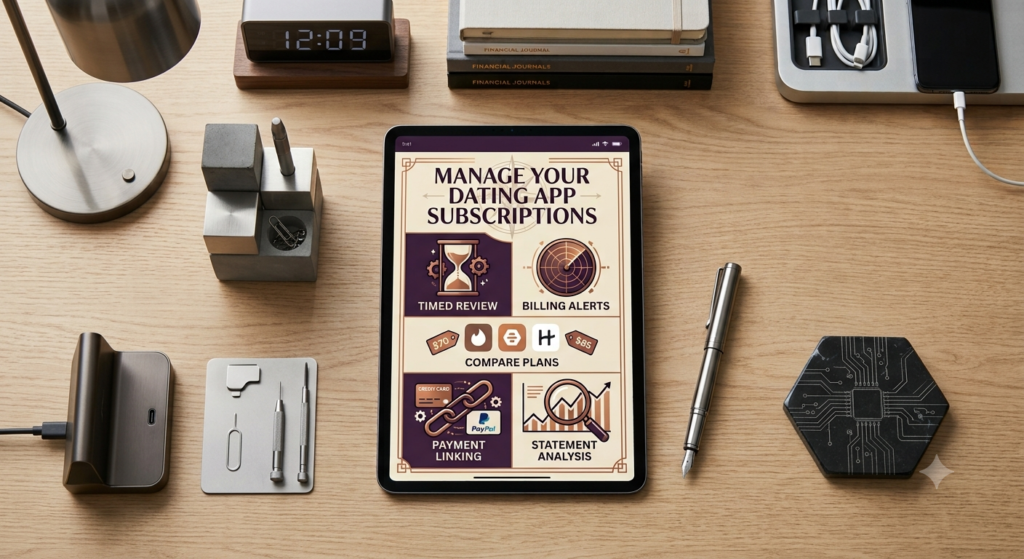
Canceling your subscription is only one way to manage your expenses. If you still enjoy using the dating app but want to avoid unnecessary charges, consider reviewing your subscription settings regularly. A few simple habits can help you stay in control of your payments and prevent unexpected renewals.
Review Your Subscription Every Few Months
Your needs may change over time. A premium membership that was useful a few months ago may no longer provide the same value. Reviewing your subscription periodically helps you decide whether it is worth keeping.
Turn On Billing Notifications
Many payment platforms and banks allow you to receive notifications whenever a subscription payment is processed. Enabling these alerts helps you spot renewal charges immediately and gives you more control over your recurring payments.
Avoid Paying for Multiple Dating Apps
If you use more than one dating app, compare the features and benefits of each subscription. Keeping several premium memberships active at the same time can increase your monthly expenses without providing additional value.
Update Your Payment Information
If your payment method changes, make sure your billing information is accurate. Keeping your account up to date helps prevent payment failures and makes it easier to manage your subscriptions.
Review Your Monthly Statements
Take a few minutes each month to check your bank or credit card statements. Regularly reviewing your transactions can help you identify subscription charges you may have forgotten about and take action before another billing cycle begins.
Tip: Managing your subscriptions regularly is just as important as canceling them. Reviewing your billing settings and monthly payments can help you avoid unnecessary expenses and stay in control of your recurring charges.
Frequently Asked Questions
Does deleting a dating app cancel my subscription?
No. Deleting the app from your phone does not cancel your subscription or stop recurring payments. You must cancel the subscription through the same platform where you originally purchased it.
Can I still use premium features after canceling?
In most cases, yes. Your premium benefits usually remain available until the end of the current billing period, but they will not renew automatically after that.
Will I get a refund after canceling my dating app subscription?
Refund policies vary by dating app and payment platform. Some services do not provide refunds for unused subscription periods, while others may review refund requests under specific circumstances.
How do I know if auto-billing has been stopped?
After canceling, check your subscription settings for a status such as Canceled, Expires on, or Auto-Renew Off. You should also keep the confirmation email or receipt for your records.
What should I do if I am charged after canceling?
First, verify that the subscription was canceled on the correct billing platform. If the charge appears to be incorrect, contact the dating app’s customer support and provide your transaction details and cancellation confirmation.
Can I subscribe again after canceling?
Yes. Most dating apps allow you to purchase a new subscription at any time if you decide to use the premium features again in the future.
Conclusion
Learning how to cancel a dating app subscription is the best way to avoid unwanted auto-billing and recurring renewal charges. Before canceling, check where your subscription is managed, review the renewal date, and follow the correct cancellation process for your billing platform.
After your cancellation is confirmed, keep a copy of the confirmation, monitor your bank or credit card statements, and verify that automatic renewal has been turned off. Taking these simple steps can help you avoid unexpected charges and manage your subscriptions with confidence.
Whether you subscribed through the dating app, the Apple App Store, or Google Play, understanding how recurring billing works will help you stay in control of your payments and prevent future billing issues.