

Introduction
If you’re looking to cancel cable TV without paying extra fees, the first thing to do is check your contract and understand your provider’s cancellation policy. Depending on your plan, you may have an early termination fee, equipment charges, or a final bill to deal with.
The good news is that you may be able to reduce or avoid these costs by choosing the right cancellation method and returning any rented equipment on time. Understanding your provider’s terms before you cancel can also prevent unexpected charges later.
In this guide, you’ll learn how to cancel cable TV, avoid unnecessary fees, return equipment properly, and handle your final bill.
Check Your Cable TV Contract Before Canceling
Before you cancel cable TV, review your current plan and billing terms. This can help you find out whether you’re still under a contract and whether canceling now could result in an early termination fee.
Look for an Early Termination Fee
Some cable providers charge a fee when customers end a contract before the agreed-upon date. Check your service agreement or online account for terms such as early termination fee, contract cancellation fee, or remaining balance.
If you’re close to the end of your contract, waiting until the commitment period expires may help you avoid an unnecessary fee.
Check Your Billing Cycle
Find out when your current billing period ends. Some providers may have specific cancellation rules, and you don’t want to assume that canceling halfway through a billing cycle will automatically result in a full refund.
Ask the provider what date your service will officially end and how your final bill will be calculated.
Check for Equipment Charges
Cable services often include rented equipment such as cable boxes, DVRs, remotes, and modems. Your provider may charge you if equipment isn’t returned by the required deadline.
Make a list of everything that belongs to the provider before you start the cancellation process.
Look for Special Circumstances
Some contracts may include exceptions that allow you to cancel without paying an early termination fee. For example, the terms may provide different options if the provider changes your service, moves your service to an unavailable location, or fails to deliver the agreed service.
Read the contract carefully and ask the provider whether any exception applies to your situation.
Checking these details first gives you a clearer idea of what you’ll owe and can help you cancel cable TV without paying extra fees unnecessarily.
Contact Your Cable Provider to Cancel Your Service
Once you’ve reviewed your contract, contact your cable provider and clearly tell them that you want to cancel your service. Avoid simply stopping your payments because that can leave your account unpaid and may result in additional fees.
Ask About the Cancellation Process
Call customer service or use your provider’s available cancellation method. Ask:
- What is the exact date my service will end?
- Will I have an early termination fee?
- Do I need to return any equipment?
- When is the equipment due?
- What will my final bill include?
- Will I receive any refund or credit?
Getting these details before confirming the cancellation can help you avoid surprises.
Request a Cancellation Confirmation
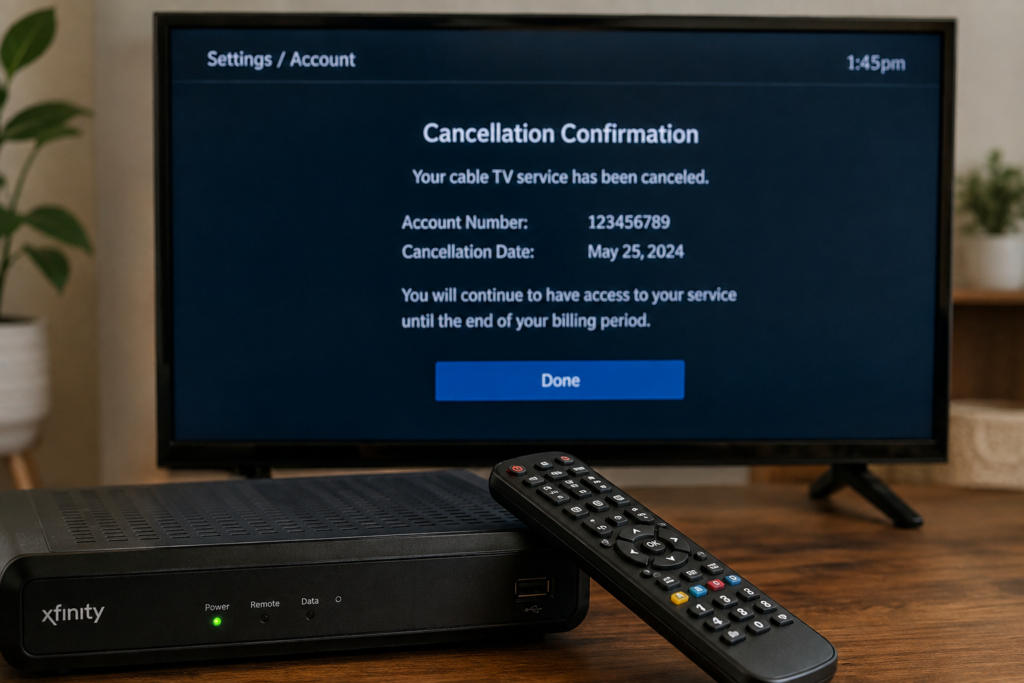
After the cancellation is processed, ask for written confirmation. This could be an email, text message, cancellation number, or confirmation shown in your online account.
Keep this information until your final bill has been paid and the account is officially closed. It can be useful if the provider later claims that your service was not canceled.
Don’t Rely on a Payment Stop
Simply removing your payment method or asking your bank to stop payments does not necessarily cancel your cable contract. You could still owe money under the terms of your agreement.
The safest approach is to officially cancel the service through the provider and settle any legitimate final balance.
If you’re also planning to cancel your internet service, see our guide on how to cancel internet service and avoid extra fees.
Return Cable Equipment on Time
One of the easiest ways to avoid extra charges when you cancel cable TV is to return all rented equipment by the deadline. Providers may charge unreturned equipment fees if you keep a cable box, DVR, modem, remote, or other device after your service ends.
Make a List of Everything You Need to Return
Before returning the equipment, check your account or cancellation instructions for the items your provider expects back. Common equipment includes:
- Cable boxes
- DVRs
- Modems
- Remotes
- Power adapters
- Wi-Fi equipment
Don’t assume that every device in your home needs to be returned. Some equipment may belong to you, while other items may be rented from the provider.
Follow the Provider’s Return Instructions
Your provider may offer several ways to return equipment, such as dropping it off at a store, taking it to an authorized location, or using a prepaid shipping label.
Follow the instructions given by your provider rather than choosing a return method on your own.
Keep Your Return Receipt
If you ship or drop off the equipment, keep the receipt or tracking information. It provides proof that you returned the items and can be especially useful if the provider later adds an equipment fee to your account.
Check Your Account After Returning Everything
After the equipment has been received, check your online account or final bill. Make sure the returned devices are no longer listed as outstanding and that no unexpected equipment charges have been added.
Returning everything on time and keeping proof of delivery can help you cancel cable TV without paying unnecessary extra fees.
Ask About Ways to Avoid Cable Cancellation Fees
If your cable contract includes an early termination fee, don’t assume you have no options. Before you finalize the cancellation, ask your provider whether there is a legitimate way to reduce or avoid the charge.
Ask About Contract Exceptions
Some providers have specific circumstances under which an early termination fee may not apply. These rules vary by company and contract, so ask the representative to explain whether any exception applies to your situation.
For example, you may want to ask whether the fee changes if you are moving to an area the provider does not service or if there has been a significant change to your service agreement.
Check Whether Your Contract Has Expired
If you’re near the end of your contract, ask the provider for the exact date your commitment ends. Waiting until the contract period is over may allow you to cancel cable TV without an early termination fee.
However, confirm whether your service will automatically renew or move to a different pricing plan after the contract ends.
Ask About Lower-Cost Alternatives
If the cancellation fee is too high, ask whether your provider offers a cheaper plan or a month-to-month option. This doesn’t cancel the service immediately, but it may give you a way to reduce costs while you reach the end of your contract.
Don’t agree to a new contract simply to lower your monthly bill without checking its cancellation terms first.
Get Any Agreement in Writing
If a representative tells you that a fee will be waived or reduced, ask for written confirmation. Keep the email, chat transcript, or other documentation until your final bill is settled.
A clear record can help if the amount charged later differs from what the provider told you.
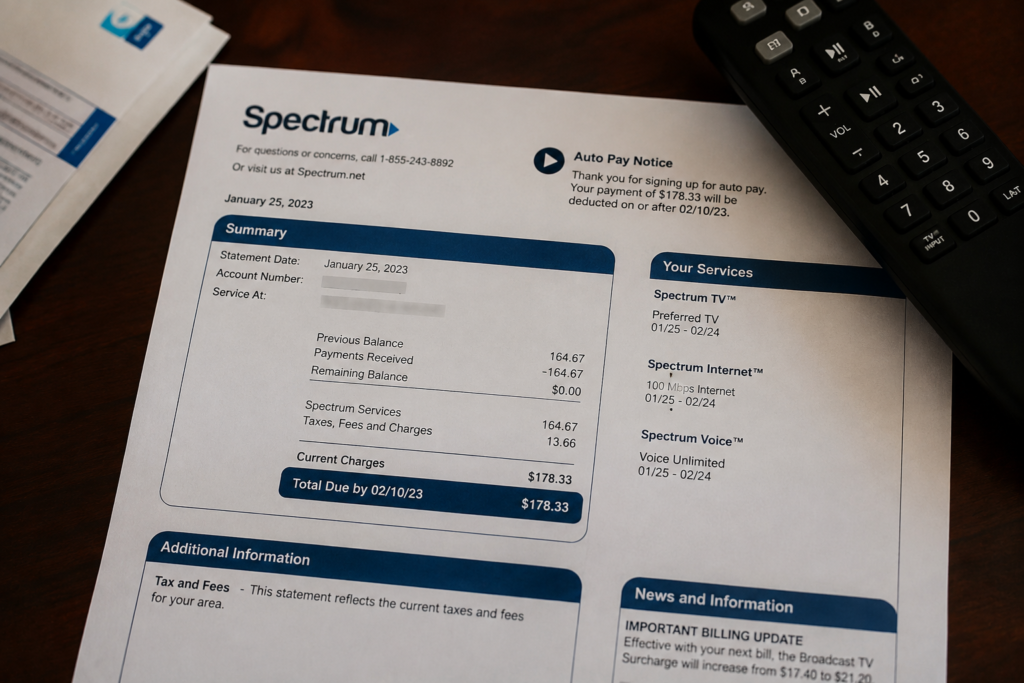
Review Your Final Cable Bill Carefully
After you cancel cable TV, don’t assume the account is completely settled just because your service has stopped. Your final statement may include prorated charges, equipment fees, credits, or other adjustments.
Check the Service End Date
Compare the service end date on your final bill with the cancellation date you received from the provider. Make sure you’re not being billed for service after the date your account was supposed to close.
Look for Unexpected Fees
Review each charge instead of only checking the total amount. Look for:
- Early termination fees
- Unreturned equipment charges
- Installation or service fees
- Remaining balances
- Taxes and other applicable charges
If you see a fee you weren’t expecting, contact the provider and ask what it is for.
Check for Credits or Refunds
If you paid for service in advance, your final statement may include a credit or refund depending on the provider’s billing policy. Ask whether you’re entitled to any unused-service credit.
Dispute an Incorrect Charge
If you believe the final bill contains an incorrect fee, contact the provider and explain the problem. Give them your cancellation confirmation, equipment return receipt, or other relevant records.
Don’t simply ignore an amount you believe is wrong. Resolve the issue with the provider and keep records of your communication until the account is fully settled.
A careful review of the final bill can help you cancel cable TV without paying extra fees that you don’t actually owe.
If you believe the provider has charged you an incorrect fee and the issue isn’t resolved, you can also use the FCC consumer complaint center to learn about filing a complaint.
How to Cancel Cable TV Without Losing Your Phone or Internet Service
Many cable providers bundle TV, internet, and phone services into one package. If you only want to cancel cable TV, make sure you understand how removing the TV portion will affect the rest of your services.
Ask What Happens to Your Bundle
Before canceling, ask the provider whether removing cable TV will change your internet or phone plan. Your monthly price may increase if you lose a bundle discount.
Ask for the new monthly price before confirming the cancellation so you can decide whether it is still worthwhile.
Confirm Which Services Are Being Canceled
Clearly tell the representative that you want to cancel only the TV service if you plan to keep your internet or phone connection.
Before ending the call, confirm which services will remain active and ask for the effective date of the TV cancellation.
Get the New Plan Details in Writing
If your provider changes your package after removing cable TV, ask for written confirmation of the new monthly price, services included, and any changes to your contract.
This can help you avoid confusion when your next bill arrives.
What to Do Before Your Cable TV Service Ends
A little preparation before your cancellation date can make the transition easier and help you avoid unnecessary charges.
Download or Save Important Information
If your cable provider offers access to recordings, account information, or other content through its TV service, check whether you need to save anything before the service ends.
Schedule the Equipment Return
Don’t wait until the last day to figure out how you’ll return your equipment. Check the provider’s deadline and arrange a store drop-off or shipment in advance.
Save Your Account Records
Keep copies of your recent bills, cancellation confirmation, equipment list, and any messages with customer support. These records can help if a billing issue appears after your service ends.
Confirm the Final Cancellation
Before the cancellation date arrives, make sure you know the exact date your TV service will stop. Afterward, check your account to confirm that the service has been removed and that your remaining services are still active.
Taking these steps can make it easier to cancel cable TV smoothly and avoid unexpected problems.
Frequently Asked Questions About Canceling Cable TV
Can I cancel cable TV without paying an early termination fee?
It depends on your contract and provider’s policies. Check whether your agreement has an early termination fee and ask whether any exceptions apply. If your contract is close to ending, waiting until the commitment period expires may help you avoid the fee.
How do I avoid extra charges when canceling cable TV?
Review your contract, confirm the cancellation date, return all rented equipment on time, and carefully check your final bill. Keep cancellation confirmations and equipment return receipts in case you need to challenge an incorrect charge.
Do I have to return my cable box after canceling?
If the cable box is rented from your provider, you will generally need to return it. Other equipment, such as DVRs, remotes, modems, and power adapters, may also need to be returned. Check your provider’s instructions to see exactly what is required.
Can I cancel cable TV by stopping my payments?
No. Simply stopping payments does not necessarily cancel your service or contract. You could still owe the provider money and may face additional collection or late-payment issues. Always complete the official cancellation process with the provider.
What should I do if my cable company charges me after cancellation?
First, contact the provider and explain that you were charged after your service ended. Provide your cancellation confirmation and any equipment return records. If the charge is incorrect and the provider does not resolve it, ask about your options for disputing the charge.
Should I cancel cable TV at the beginning or end of my billing cycle?
The best timing depends on your provider’s billing and cancellation policy. Ask when your service will officially end and whether the provider offers prorated billing or refunds for unused service before choosing a cancellation date.
Conclusion
Learning how to cancel cable TV without paying extra fees mostly comes down to checking your contract, understanding the cancellation terms, and keeping track of the final steps. Before ending your service, ask about early termination fees and confirm exactly when your account will close.
Return all rented equipment by the required deadline and keep your receipts or tracking information. Once the service is canceled, review your final bill carefully and contact the provider if you find an unexpected charge.
With a little preparation, you can avoid unnecessary fees, settle your final balance correctly, and move on from your cable service without unwanted surprises.