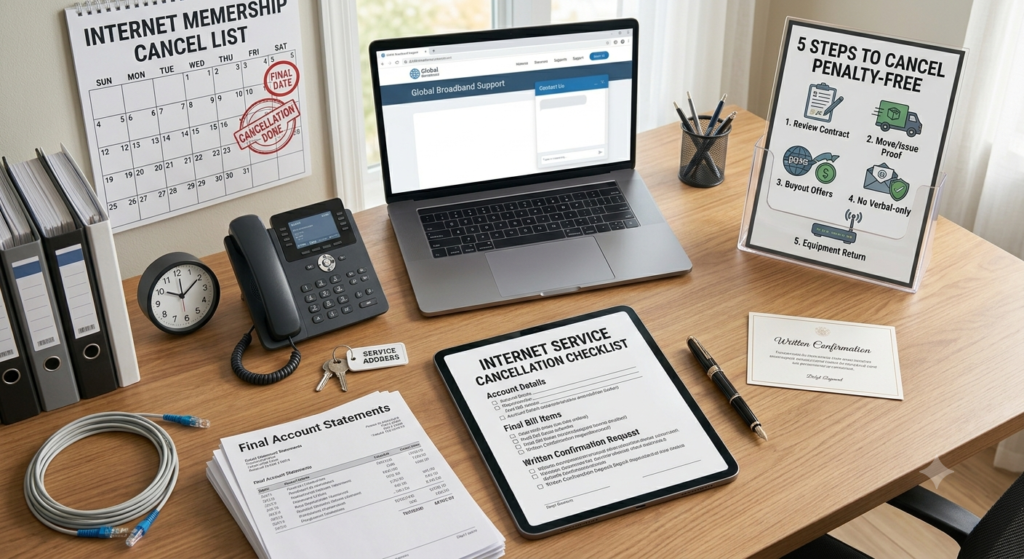
If you need to cancel internet fee charges, it is important to understand your contract before ending your internet service. Depending on your provider and plan, you may face an early termination fee, equipment charge, or other costs when canceling.
If you want to cancel internet service and avoid extra fees, reviewing your contract, billing details, and equipment requirements beforehand can help you make the right decision. In some situations, you may be able to avoid an early termination charge by waiting until your contract ends or choosing another option offered by your provider.
This guide explains how to cancel internet service, check for cancellation fees, return provider equipment, handle your final bill, and reduce the risk of unexpected charges.
Check Your Internet Contract Before Canceling
Before you cancel your internet service, review your current plan and contract carefully. The amount you may have to pay can depend on whether your service is month-to-month or tied to a fixed-term agreement.
Find Out Whether You Have a Contract
Log in to your internet provider’s account or review your original service agreement. Look for information about:
Contract length
Contract end date
Early termination fees
Promotional pricing
Equipment charges
Required cancellation notice
Refund or credit policies
If your contract has already ended, you may be able to cancel without an early termination fee. However, other charges, such as an unpaid balance or equipment replacement fee, could still apply.
Check the Early Termination Fee
If you are still within a contract period, find out exactly how the provider calculates the early termination charge. Some providers use a fixed fee, while others reduce the charge as you get closer to the end of your contract.
Do not assume that every cancellation will result in a fee. Read the terms and ask the provider to explain any charge before you confirm the cancellation.
Compare the Cost of Canceling Early
If you are close to the end of your contract, compare the remaining monthly payments with the potential cancellation fee. In some cases, waiting until the contract expires may be less expensive.
On the other hand, continuing to pay for an unwanted service may cost more than ending the agreement early. Understanding both options can help you make a more informed decision.
Ask About Available Exceptions
Some providers may have exceptions or alternative arrangements for certain situations. Depending on the provider and contract, you may be able to transfer service, change your plan, or qualify for a fee waiver under specific circumstances.
Ask the provider what options are available before agreeing to an early cancellation charge.
Tip: Get the exact cancellation fee and your expected final balance in writing whenever possible. This gives you a clear record of what you agreed to and makes unexpected charges easier to question later.
How to Cancel Your Internet Service
Once you understand your contract and any possible fees, you can contact your internet provider to begin the cancellation process. The exact procedure varies between companies, but preparing your account information beforehand can make the process much easier.
Gather Your Account Information
Have your account number, service address, account holder’s name, and contact details ready. The provider may ask security questions to verify that you are authorized to make changes to the account.
If you are contacting the provider by phone, having your latest bill nearby can also help you answer questions quickly.
Contact the Provider Through an Official Channel
Use the provider’s official website, customer service number, live chat, or another approved cancellation method. Some companies allow online cancellation, while others may require you to speak with a representative.
Clearly state that you want to end your internet service and ask what steps are required to complete the cancellation.
Confirm the Exact Cancellation Date
Ask when the service will actually stop. Your cancellation request may be submitted immediately, but the provider could schedule the service to end on a specific date.
If you want to avoid paying for another billing cycle, make sure you understand how the cancellation date relates to your next payment date.
Ask for the Final Amount
Before ending the call or submitting the request, ask the provider to explain your expected final bill. This may include:
Remaining service charges
Equipment fees
Unpaid balances
Early termination charges
Taxes or other applicable fees
Credits or refunds
Knowing the expected amount in advance can help you identify an incorrect charge later.
Request Written Confirmation
After the cancellation is completed, request an email, confirmation number, or other written proof. Keep this information until you have received your final bill and confirmed that the service has been fully canceled.
Remember: Do not rely only on a phone conversation. A written cancellation confirmation gives you useful evidence if the provider continues billing you after the agreed cancellation date.
When You May Be Able to Cancel Without Extra Fees
An internet cancellation fee is not always unavoidable. Depending on your contract, provider, and circumstances, you may have options that reduce or eliminate an early termination charge. The key is to check the terms before accepting the fee as final.
Recently Signed Up? Check for a Grace Period
If you recently started your internet service, review the provider’s cancellation terms to see whether a cooling-off or grace period applies. Some agreements or consumer protection rules may give customers a limited period to cancel under specific conditions.
The length and availability of any grace period can vary, so check your contract and the rules that apply where you live rather than assuming a fixed number of days.
Moving Outside the Provider’s Service Area
If you are moving to a location where your current provider does not offer service, ask whether the provider allows cancellation without an early termination fee.
Before accepting the charge, confirm that the new address is outside the provider’s service area and ask what documentation may be required. Some companies may request proof of the new address or other information before approving a fee waiver.
Look for Contract Buyout Offers
If you are switching to another internet provider, check whether the new company offers a contract buyout or reimbursement program. Some providers run promotions that help cover eligible early termination charges from a previous provider.
These offers often have conditions, such as submitting a final bill, meeting a deadline, or signing up for a qualifying plan. Read the promotion carefully before assuming the entire cancellation fee will be reimbursed.
Document Ongoing Service Problems
Repeated outages, major connection problems, or service that consistently fails to meet the terms of your agreement may give you a reason to ask about penalty-free cancellation.
Keep records of:
Dates and times of outages
Speed test results
Support tickets
Chat or email conversations
Technician visits
Promised repair dates
A detailed record can make your request more convincing when discussing the issue with the provider.
Ask for a Fee Review
If you believe your circumstances justify a waiver, explain your situation clearly and ask the provider to review the termination charge. Do not assume the first representative’s answer is necessarily the only option available.
Tip: Before canceling, ask the provider to explain in writing whether your circumstances qualify for a fee waiver and what documents they need. This can help prevent misunderstandings about the final bill.
If you have ongoing problems with your internet service and cannot resolve them with your provider, you can learn more about your consumer options through the official FCC Consumer Complaints portal.
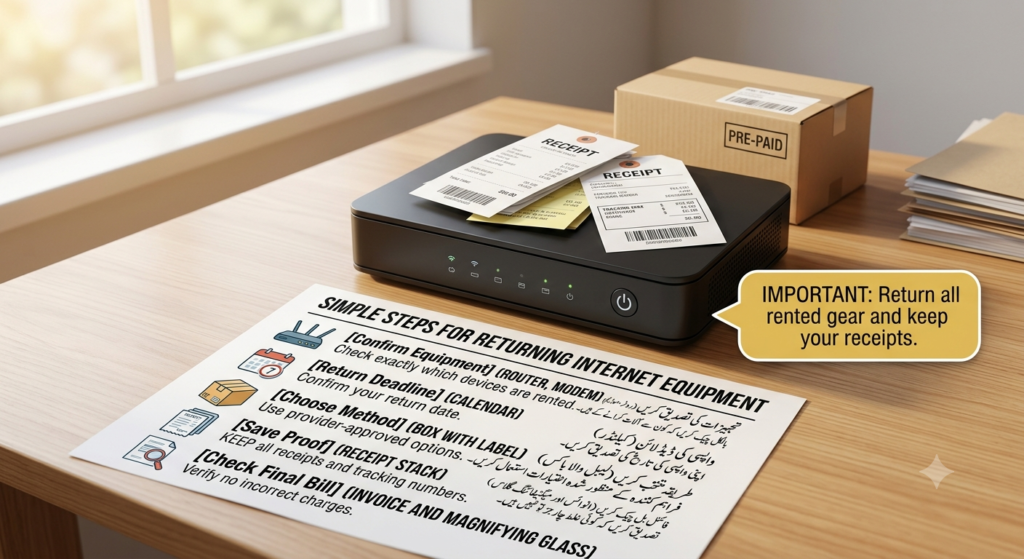
Return Your Internet Equipment on Time
Canceling your internet service does not always end your financial responsibility immediately. If your provider supplied a router, modem, Wi-Fi extender, or other equipment, you may need to return it after cancellation.
Failing to return rented equipment within the required timeframe can result in additional charges appearing on your final bill.
Find Out Which Equipment Must Be Returned
Check your account or contact the provider to confirm which devices belong to them. Depending on your plan, this could include:
Router
Modem
Wi-Fi gateway
Wi-Fi extender
Power adapters
Other provider-owned accessories
Do not assume that every device in your home needs to be returned. Equipment you purchased yourself may have different requirements.
Check the Return Deadline
Ask the provider how many days you have to return the equipment after your service ends. The deadline can vary between providers and plans.
Returning the equipment early can reduce the risk of forgetting the deadline, especially if you are also changing your internet service or moving.
Use the Correct Return Method
Your provider may offer several return options, such as shipping the equipment, dropping it at an approved store, or using a designated return location. Follow the instructions provided by the company.
If you ship the equipment, use the tracking information supplied by the carrier and keep the receipt until the provider confirms that the equipment was received.
Keep Proof of the Return
Take photos of the equipment before returning it and keep your shipping receipt, tracking number, or store return receipt. These records can be useful if the provider later claims that an item was not returned.
Check Your Final Bill
After the provider receives the equipment, review your final statement. Make sure no unreturned-equipment fee or replacement charge has been added incorrectly.
If you see a charge for equipment you already returned, contact the provider and provide your return documentation.
Important: Returning equipment and canceling service are two separate steps. Complete both and keep proof of each until your final bill has been settled.
Review Your Final Internet Bill
After your internet service has been canceled, your final bill is one of the most important things to check. A cancellation does not always mean your account balance will immediately become zero. Your final statement may include charges for service already used, equipment, taxes, credits, or an approved termination fee.
Check the Service End Date
Compare the service end date shown on your final bill with the cancellation date you received from the provider. If you were billed for service after the confirmed end date, contact the provider and ask them to review the charge.
Look for Equipment Charges
If you returned a router, modem, or other provider-owned equipment, make sure the final bill does not include an unreturned-equipment fee. Keep your return receipt and tracking information in case you need to prove when the equipment was delivered.
Check for Credits or Refunds
Your final statement may include a promotional credit, account credit, or refund. Review the calculations carefully, particularly if you paid in advance or your provider adjusted your account after cancellation.
Turn Off Automatic Payments Carefully
If you use autopay, check whether the final payment will be processed automatically. Do not immediately remove your payment method if a legitimate final balance is still due, because doing so could leave the account unpaid.
Instead, confirm the final amount with the provider and make sure the last payment is handled correctly.
Once the account balance is settled and the service is officially closed, review your payment settings and confirm that no future recurring payments are scheduled.
Keep the Final Statement
Save a copy of your final bill and cancellation confirmation. Keeping these records can help if the provider sends another bill later or if you need to dispute a charge.
Tip: Do not consider the cancellation completely finished until you have checked the final bill, confirmed that equipment charges are correct, and verified that recurring billing has stopped.
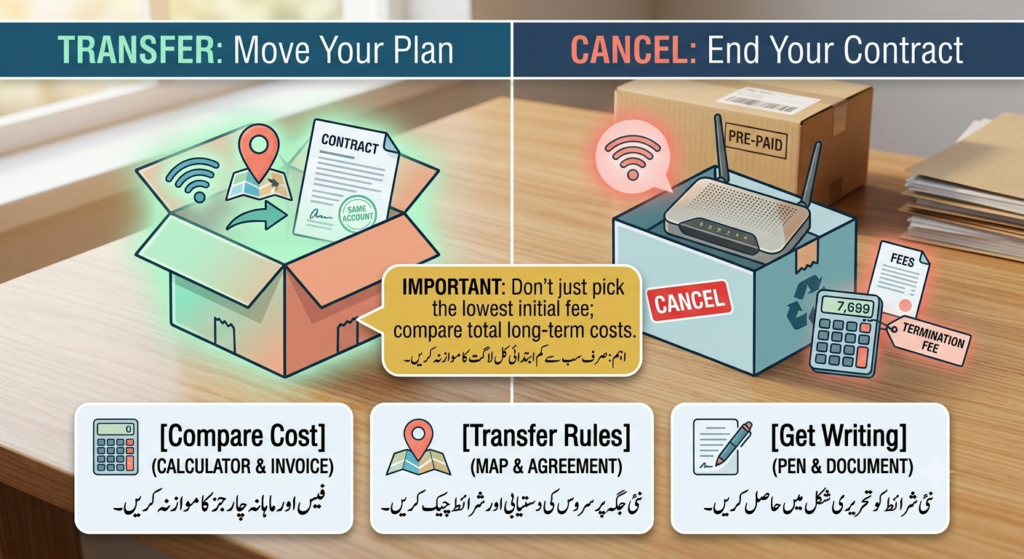
Should You Cancel or Transfer Your Internet Service?
If you are changing addresses, canceling your current internet service is not always the only option. Some providers allow customers to transfer their existing plan to a new address, which may be more convenient and could help you avoid certain cancellation costs.
When Transferring May Make More Sense
If your current provider serves your new location, ask whether you can move your existing service instead of ending the contract. You may be able to keep the same account while changing the service address.
Before agreeing, ask whether the transfer will change:
Your monthly price
Contract length
Promotional discounts
Equipment requirements
Installation fees
Data allowances or service speed
A transfer may be useful, but it is important to understand the new terms before making a decision.
When Cancellation May Be Better
Canceling may make more sense if your provider does not serve your new location, you found a better plan elsewhere, or you no longer need internet service. In these situations, review the contract and ask whether any termination fee applies.
If you are moving outside the provider’s coverage area, specifically ask whether the company offers a fee waiver for customers who cannot continue service at their new address.
Compare Both Options
Before making your final decision, compare the total cost of transferring with the cost of canceling. Include installation fees, equipment charges, early termination fees, promotional price changes, and any other applicable costs.
The cheapest option is not always the one with the lowest immediate fee. Looking at the total cost can help you avoid paying more over the following months.
Ask for the Details in Writing
Whether you choose cancellation or transfer, ask the provider to confirm the important terms in writing. This can include your new service price, cancellation fee, transfer date, equipment requirements, and final billing information.
Tip: If your main reason for canceling is cost, ask the provider about available plans or transfer options before ending the account. You may find an alternative that avoids a large cancellation charge.
What If Your Internet Service Is Not Working Properly?
Poor internet service can be frustrating, especially when you are paying for a plan that does not perform as expected. If frequent outages, unusually slow speeds, or repeated technical problems are making you consider cancellation, document the issues before ending your contract.
Keep a Record of Service Problems
Write down the date and time whenever you experience a significant outage or connection problem. Also keep copies of support tickets, emails, chat conversations, and technician appointments.
If you regularly experience slow speeds, save results from reliable speed tests along with the date and time they were performed.
Give the Provider an Opportunity to Fix the Problem
Contact the provider and clearly explain the problem. Ask them to investigate the issue and record your complaint in your account.
If a technician visit or repair is scheduled, keep the appointment details and note whether the problem was actually resolved.
Review Your Service Agreement
Check whether your contract or service terms contain any commitments regarding service availability, equipment, or performance. The exact rights and remedies available to you depend on your provider, plan, and location.
Do not assume that poor service automatically cancels a contract without a fee.
Ask About a Fee-Free Cancellation
If the problem continues despite repeated attempts to resolve it, ask the provider whether you qualify for cancellation without an early termination fee. Explain the history of the problem and provide your documentation.
A clear record of repeated failures can make it easier for the provider to review your request.
Keep Everything in Writing
If the provider agrees to waive a cancellation fee or allows you to end the contract because of ongoing service problems, request written confirmation. Keep that confirmation with your other cancellation records.
Tip: Documenting service problems before canceling is much stronger than simply saying that the internet was unreliable. Dates, speed-test results, support records, and technician visits provide useful evidence if you need to challenge a cancellation fee.
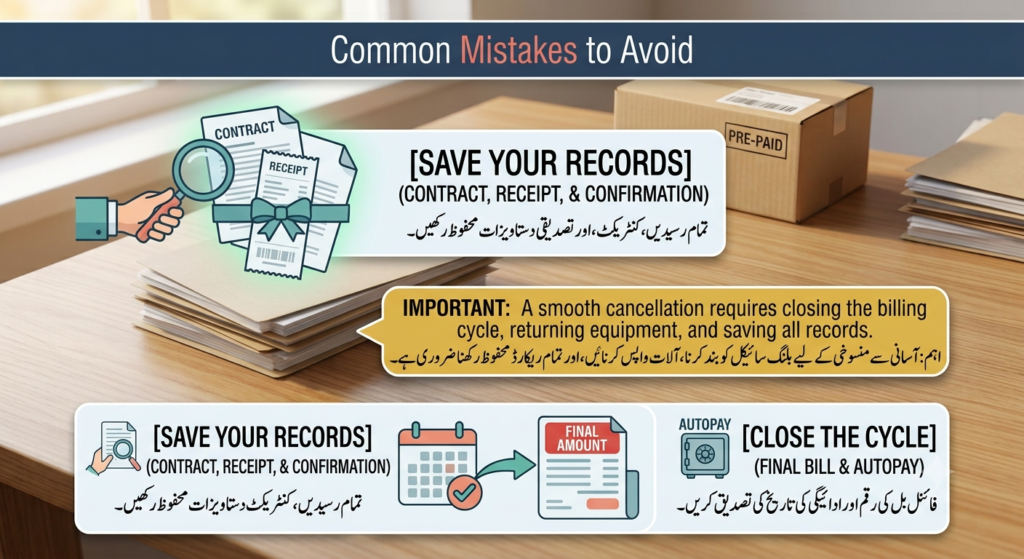
Common Mistakes to Avoid When Canceling Internet Service
Canceling internet service may seem straightforward, but a few small mistakes can lead to extra charges or billing problems. Knowing what to avoid can make the cancellation process much easier.
Assuming the Service Is Canceled After a Phone Call
Speaking with a representative does not always mean the cancellation has been fully processed. Always ask for a confirmation email, reference number, or other written proof showing that the request was completed.
Ignoring the Equipment Return Deadline
Keeping a provider-owned router or modem after the return deadline can result in an equipment charge. Check the deadline and return instructions before your service ends.
Forgetting About the Final Bill
Your regular monthly payment may not be your final payment. The last statement can include prorated service charges, equipment fees, credits, or other adjustments. Review it carefully before considering the account closed.
Stopping Autopay Too Early
Removing your payment method immediately after requesting cancellation can create an unpaid balance if a legitimate final bill is still due. Confirm your final amount and payment date first.
Accepting a Cancellation Fee Without Checking the Contract
If a provider tells you that an early termination fee applies, ask how the amount was calculated and where it appears in your agreement. You may have circumstances that qualify for a waiver or another cancellation option.
Failing to Save Your Records
Keep your contract, cancellation confirmation, equipment return receipt, final bill, and important communications. These documents can be useful if you later need to question a charge.
Remember: A smooth cancellation is not just about ending the service. You also need to close the billing cycle, return equipment when required, and keep enough documentation to protect yourself from incorrect charges.
Frequently Asked Questions
Can I cancel my internet service without paying an early termination fee?
Sometimes. It depends on your contract, provider, and circumstances. You may have options if your contract has ended, you recently signed up and qualify for a cancellation period, your provider does not serve your new address, or your service problems remain unresolved.
How can I find out how much the cancellation fee will be?
Check your service agreement or contact your provider and ask for the exact amount. Also ask whether the fee decreases as you get closer to the end of your contract or whether any waiver applies to your situation.
Can moving to another area help me avoid a cancellation fee?
It may, particularly if your provider does not offer service at your new address. However, policies differ, so confirm the provider’s requirements and ask whether you need to provide proof of your new address.
What happens to my router after I cancel?
If the router or modem was provided by the internet company, you will usually need to return it according to the provider’s instructions. Missing the return deadline or failing to return the equipment may result in an additional charge.
Can I switch to another internet provider and have my cancellation fee covered?
Some internet companies offer contract buyout or reimbursement promotions for new customers. These offers can have eligibility requirements and claim deadlines, so read the terms carefully before relying on reimbursement.
What if I am charged after my internet service is canceled?
Compare the charge with your cancellation date, final bill, and equipment return records. If the payment appears incorrect, contact the provider and provide your cancellation confirmation and supporting documents.
Should I cancel my internet service before or after finding a new provider?
If you need continuous internet access, it is usually safer to arrange your replacement service before ending your existing connection. However, check for overlapping charges, installation dates, and contract obligations so you do not accidentally pay for two services longer than necessary.
Conclusion
If you decide to cancel internet service, keep your cancellation confirmation until the final bill is settled.Knowing how to cancel internet service and avoid extra fees starts with understanding your contract before you contact the provider. Check whether you are still within a fixed-term agreement, find out whether an early termination fee applies, and ask about any circumstances that could qualify you for a fee waiver.
If you recently signed up, moving outside the provider’s service area, dealing with repeated service problems, or switching through a contract buyout offer may give you additional options. However, these possibilities depend on the provider, contract, and applicable rules, so always confirm the details before making a decision.
Once you decide to cancel, request a clear cancellation date and expected final balance. Return rented equipment on time, keep proof of the return, and save your cancellation confirmation. Afterward, review the final bill carefully and make sure recurring payments have stopped.
Taking these steps can help you end your internet service with fewer surprises and reduce the risk of unnecessary cancellation, equipment, or billing charges.