introduction
You signed up for a weight loss or fasting plan. Now you want out. Maybe the price is too high, or you no longer use the app. Either way, you need the charge to stop.
This guide shows you how to cancel Simple subscription in a few minutes. It covers iPhone, Android, and the website. It also explains how to log in, what to do if you cannot, and how to handle a charge you did not expect.
Which “Simple” Is This?
This guide is for the Simple app, a weight loss and fasting coach. Many people search for it as “Simple Weight Loss.” It is a mobile app with a paid plan.
The name “Simple” is common. Other apps and services use it. If your charge is from a different company, check your bank statement first. Look at the merchant name and match it to this app.
Before You Cancel: Find Out Where You Were Billed
This step matters most. Where you cancel depends on where you paid. If you cancel in the wrong place, the charge keeps coming.
Check your bank or card statement. Then match the charge:
- “APPLE.COM/BILL”: You paid through the Apple App Store. Cancel in your iPhone settings.
- *“GOOGLE ” or “Google Play”: You paid through Google Play. Cancel in the Play Store.
- A direct charge with the app’s name: You paid on the website. Cancel through your account.
Also write down your renewal date. Cancel at least a day before it. Do not wait for the last minute.
Quick Tip
Search your email for “receipt” or “Simple.” The receipt shows where you paid.
How to Log In to Your Simple Account
You may need to log in before you can cancel on the website. Here is how to log in.
Log In on the App
- Open the Simple app on your phone.
- Tap Log in.
- Enter the email you used when you signed up.
- Enter your password, or use the sign-in option you chose, such as Apple or Google.
Log In to the Weight Loss Plan
Your weight loss plan uses the same account as the app. You do not need a second login. Use the same email and the same sign-in method.
Log In on the Website
Some plans let you manage your account online. Open the official Simple help center at help.simple.life. Follow the link to your account from there.
Pick the Right Email
Many people try the wrong email. Think about which one you used. Search your inboxes for the welcome email from Simple. That tells you the right address.
How to Cancel Simple Subscription on iPhone
If you paid through Apple, cancel in your settings. You do not need to log in to the app.
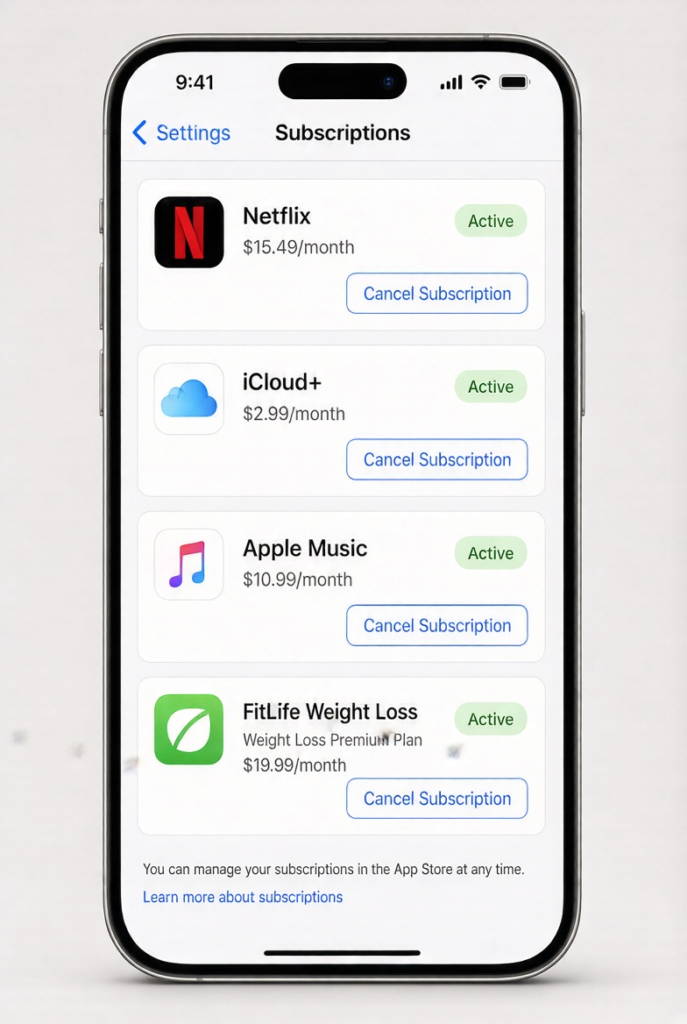
- Open the Settings app.
- Tap your name at the top.
- Tap Subscriptions.
- Tap Simple.
- Tap Cancel Subscription and confirm.
Apple stops the next charge right away. You usually keep access until the paid period ends. Apple explains the same steps on its subscription cancellation page.
How to Cancel Simple Subscription on Android
If you paid through Google Play, cancel in the Play Store.
- Open the Google Play Store app.
- Tap your profile icon at the top right.
- Tap Payments & subscriptions, then Subscriptions.
- Tap Simple.
- Tap Cancel subscription. Pick a reason, or skip it.
- Confirm the cancellation.
Google lists the same process on its Google Play help page.
How to Cancel Simple Subscription on the Website
If you paid on the website or inside your Simple account, cancel there.
- Log in to your Simple account.
- Open your account or profile settings.
- Find Subscription or Manage plan.
- Choose Cancel subscription.
- Follow the prompts and confirm.
You may see offers to stay. Skip them if you want to cancel. Look for a confirmation screen or email at the end.
Menu names can change. If you do not see these options, use the official help center at help.simple.life. Search for “cancel.”
Check for a Commitment Plan
Some plans are longer than one month. Simple’s help center mentions a commitment plan with its own cancel steps. Look at your sign-up email. If you chose a longer plan, read the terms before you cancel.
How to Confirm the Cancellation Worked
Do not stop at the confirm button. Check that it went through.
- Look for a confirmation email from Simple, Apple, or Google.
- Open your subscription list again. It should show an end date, not a renewal date.
- Take a screenshot of the confirmation.
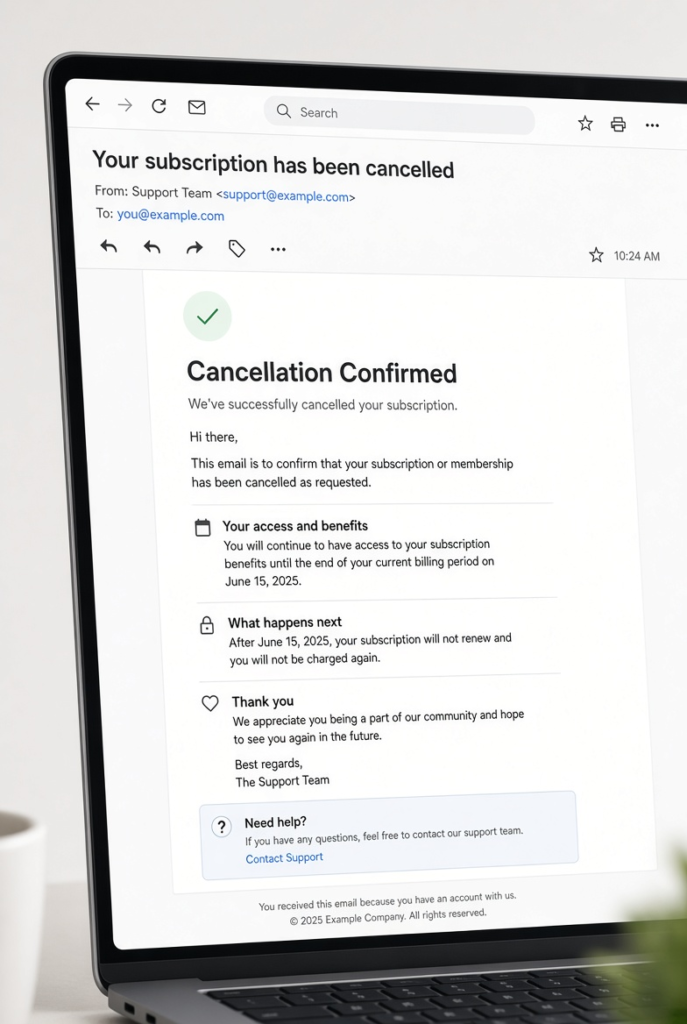
Keep the screenshot for 90 days. If a charge appears later, it is your proof.
What Happens After You Cancel?
Here is what to expect:
- You keep your plan until the end of the billing period you paid for.
- No new charge should appear after that date.
- Your account may stay open. Your data may stay saved for a while.
- If you come back later, you can start a new plan.
Cancelling does not mean deleting. If you want your account deleted, ask support as a separate step.
Want to know more about how access works after cancelling? Read our guide on how to cancel a subscription and keep access until it expires.
Can You Get a Refund?
Refunds depend on where you paid. They are not guaranteed.
- Apple: You can ask for a refund through Apple. Go to Apple’s “Report a Problem” page and pick the charge. Apple reviews each request.
- Google Play: You can request a refund through Google Play. Time limits apply, so ask soon.
- Direct payment: Contact Simple support. Say when you were charged and why you want the money back.
You have a better chance if you ask quickly. Also, it helps if you were charged after you cancelled. Explain this clearly and attach your proof.
Simple’s help center also has an article about requesting a refund when you paid through the App Store. Search for it at help.simple.life.
Can’t Log In? Cancel Without Your Password
Forgot your password? You can still cancel.
- If you paid through Apple or Google, cancel in your phone settings. You do not need to log in.
- If you paid directly, use Forgot password on the login screen. A reset link goes to your email.
- If you lost access to that email, contact Simple support. Give your name, the date and amount of the charge, and the last four digits of your card.
- If nobody replies, ask your bank to block the charge.
We explain all of this in our full guide on how to cancel a subscription without login details or a password.
Still Charged After You Cancelled?
Sometimes a charge appears after you cancel. Do these steps in order.
- Check the date. Did you cancel before the renewal date?
- Check where you cancelled. Did you cancel in the same place you paid?
- Contact support. Send your confirmation and ask for a refund.
- Wait a few days. Refunds can be slow to appear.
- Dispute the charge. If support does not fix it, ask your bank to dispute it.
Our guide on how the chargeback process works explains how to do this. For more ideas, read how to stop recurring charges on your credit card.
Stop Surprise Charges in the Future
A few habits protect you from unwanted renewals.
- Set a phone reminder a few days before each renewal.
- Note the free trial end date the day you sign up.
- Review your bank statement every month.
- Keep confirmation emails in one folder.
These habits take ten minutes a month. They can save you real money.
Frequently Asked Questions
How do I cancel my Simple subscription? Cancel where you paid. Use Settings on iPhone, the Play Store on Android, or your account on the website.
Can I cancel Simple on my phone? Yes. Both iPhone and Android let you cancel from the settings of your phone.
Will I lose access right away? Usually no. You keep access until the end of the period you paid for.
Can I get a refund after I cancel? Maybe. Apple, Google, and Simple each have their own refund rules. Ask quickly and explain why.
Why was I charged after I cancelled? You may have cancelled in the wrong place, or too close to the renewal date. Check the date and where you paid.
How do I log in to Simple without the app? Use the website and the same email and sign-in method you used when you signed up. If you cannot log in, reset your password or contact support.
Can I cancel without my password? Yes. If you paid through Apple or Google, you do not need your password at all.
Conclusion
Now you know how to cancel Simple subscription on any device. First, find where you paid. Then cancel in that place and save your confirmation.
If a charge comes back, you have clear steps to fix it. A few minutes today can save you from months of unwanted fees.