INtroduction
Finding a charge on your bank statement is annoying. Finding it when you cannot log in is worse. You forgot your password, and the charge keeps coming back.
Take a breath. Being locked out does not mean you must keep paying. You signed up once, and you can end it from the outside.
This guide shows how to cancel a subscription without a password. We start with the easiest fixes and move to bank-level options. Most people solve it in the first two methods.
Before You Start: Quick Checklist
Spend two minutes on this first. It will save you time later.
- Find the exact charge on your bank or card statement.
- Write down the merchant name, the amount, and the date.
- Check if the charge says “Apple,” “Google,” or “Amazon.” That tells you where the bill comes from.
- Keep screenshots as you go. You may need them as proof later.
The merchant name on your statement is your best clue. A charge named “APPLE.COM/BILL” is handled in a different place than a charge named “NETFLIX.COM.”
1. The Smartphone Shortcut: Cancel Through Apple or Google
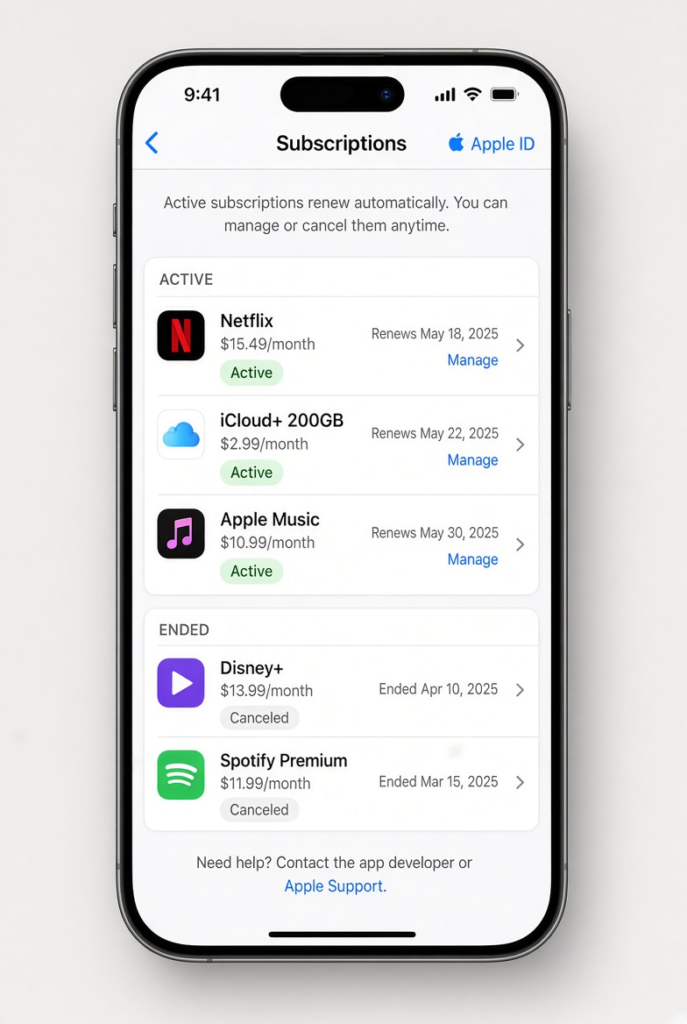
Many subscriptions are not managed by the company itself. They are billed through your phone’s app store. If you tapped “Subscribe” with Face ID or a fingerprint, Apple or Google holds the billing. The app does not.
That means you can skip the app’s login screen. You cancel from your phone settings instead.
Cancel on iPhone or iPad
Apple handles all in-app purchases through your Apple Account. Follow these steps:
- Open the Settings app.
- Tap your name at the top of the screen.
- Tap Subscriptions. If you do not see it, tap Media & Purchases, then View Account, then Subscriptions.
- Tap the service you want to end.
- Tap Cancel Subscription and confirm.
Billing stops at once. You usually keep access until the paid period ends. Apple explains the same steps on its official subscription cancellation page.
Cancel on Android (Google Play)
Google handles app purchases through the Play Store. Here is how to end one:
- Open the Google Play Store app.
- Tap your profile icon at the top right.
- Tap Payments & subscriptions, then Subscriptions.
- Tap the service you want to end.
- Tap Cancel subscription. Pick any reason, or choose to skip.
- Confirm the cancellation.
You can also read Google’s own steps on the Google Play subscription help page.
Check Other Places Too
Apple and Google are not the only middlemen. You may also be billed through:
- Amazon (check Memberships & Subscriptions in your Amazon account)
- A mobile carrier bundle such as Verizon or T-Mobile
- PayPal (check Automatic payments in your PayPal settings)
If you use any of these, you may be able to cancel there. Your login for that account is often easier to recover.
2. Detective Work: Find the Login You Forgot
Maybe you bought the plan on a website, not in an app. Netflix, Adobe, and local utility services work this way. The phone trick will not help here.
First, find out which email you used. Many people fail to reset a password because they try the wrong email address.
Step 1: Search Every Inbox You Own
Most people have two to four email accounts. Check each one. Search for phrases like these:
- “Subscription confirmed”
- “Your receipt”
- “Welcome to [company name]”
- “Your next billing date”
- “[Company name] account”
Check your spam and promotions folders too. A three-year-old welcome email tells you the email address you used.
Step 2: Use the Reset Link
Now that you know the email, go to the company website.
- Click Log in.
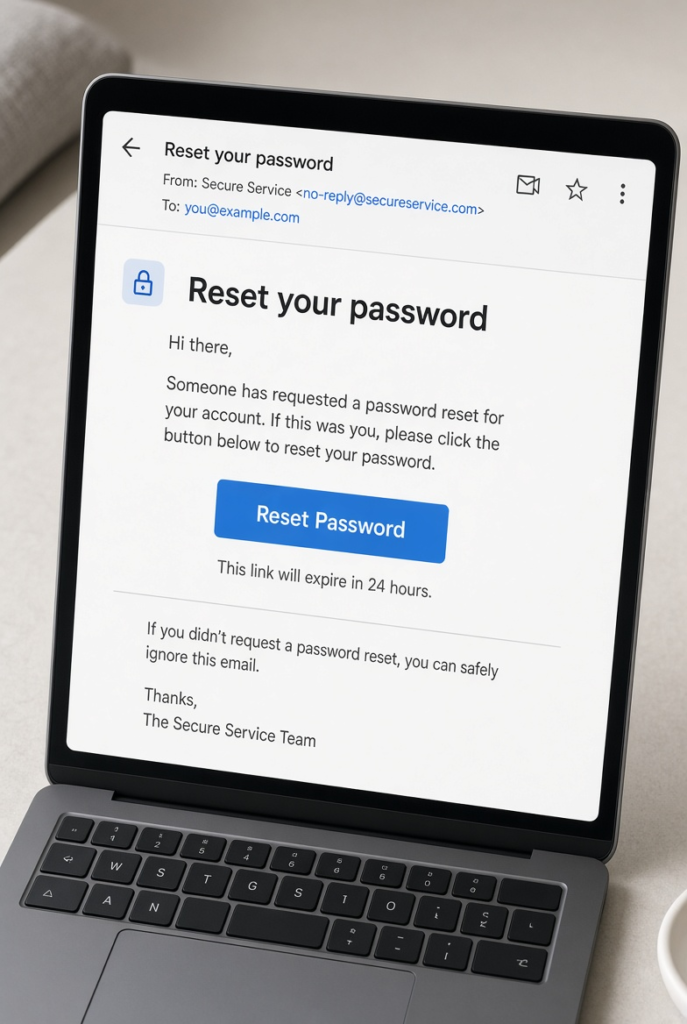
- Click Forgot password? or Sign in with a one-time link.
- Enter the email you just found.
- Open the reset email and click the link.
- Create a new password and log in.
Then cancel from your account settings. The button is usually under Account, Billing, or Membership. For a full example, see our guide on how to cancel a Netflix subscription.
3. Contact Support When the Email Is Gone
What if you know the username, but the email is deleted, hacked, or from an old job? Then reset links do not work. You need a real person.
Almost every company has a help page you can open without logging in. Look in the website footer. Search for Contact Us, Help Center, or Submit a Request. You may also see a live chat bubble on the home page.
What to Send to Prove It Is You
Support agents protect user privacy. They cannot close an account on request alone. So give them proof that you pay the bill.
- Your details: Full name, billing address, and any phone number used at sign-up.
- The charge: The exact date and amount, such as $14.99 on February 12.
- Your card: The last four digits and the card type (Visa, Mastercard, or Amex).
- The reference number: Open your banking app. Some charges show a reference or transaction ID. Send it if you see one.
Then write a clear message. Here is a simple example:
“I no longer have access to the email on this account and I forgot my password. Please cancel the subscription and stop all future billing. My payment details are below.”
Keep it short and polite. Ask for a confirmation email. Save it.
If You Hear Nothing
Wait 48 hours. Then send a second message and note the date of the first one. A paper trail helps if you need a refund or a dispute later.
If you are billed again after you cancelled, our guide on how to cancel a subscription and keep access until it expires explains what to expect.
4. Stop the Charge at Your Bank
Sometimes the company ignores you. Or it has no contact page at all. In that case, take control at the source. Do not ask the company to stop taking your money. Tell your bank to stop paying it.
You have three options. Start with the first.
Option A: Block the Merchant in Your Banking App
Many modern banking apps let you control recurring payments. This includes Revolut, Monzo, Chime, and large card issuers such as Chase and Capital One.
- Open your banking app and tap the unwanted charge.
- Look for Manage recurring payments, Block merchant, or Cancel subscription.
- Turn it off.
The next time the company tries to bill you, your bank refuses the payment. Not every bank offers this, so check your app first.
Option B: Ask for a Stop Payment
If your bank has no app tool, call the number on your card. Ask to place a stop payment on the merchant’s recurring charge.
- In the United States, you can usually stop a recurring debit if you tell your bank at least three business days before the next payment.
- Some banks charge a fee, often $15 to $30.
- Put the request in writing if the bank asks for it.
Rules differ by country and by bank. Ask your bank what applies to you.
Option C: Ask for a Replacement Card
If a company keeps billing you under changing names, you can replace the card. Call your bank and ask for a new card number.
- Your old number stops working.
- The company’s next charge fails.
- The subscription usually ends because of non-payment.
Be honest with your bank. Say you need a new number to stop unwanted charges. Do not report a card lost or stolen if it is not.
This step has a catch. Your card issuer may share your new number with some merchants through an automatic updater. Ask your bank to turn that off for the merchant you want to stop. Also, update the card on every other service you still use.
5. Dispute the Charge If You Keep Getting Billed
Suppose you cancelled, or tried to cancel, and the charge still came back. You can dispute it with your card issuer.
- Gather your proof: screenshots, emails, and support messages.
- Contact your card issuer and say the charge is not authorized.
- Explain what you did to cancel and when.
- Follow up in writing.
Act fast. In the United States, the FTC explains how to dispute credit card charges, and you generally have 60 days from the statement date to report a billing error.
For a full walkthrough, read our guide on how the chargeback process works.
Which Method Should You Use?
| Method | Difficulty | Time | Best for |
|---|---|---|---|
| App store settings | Very easy | 1 minute | Subscription bought in an iOS or Android app |
| Email search and reset | Easy | 5–10 minutes | You forgot which email you used |
| Support ticket | Medium | 24–48 hours | The email is dead or hacked |
| Bank app block | Medium | Instant | The company ignores you |
| Stop payment or new card | Harder | 1–5 days | Company is hard to reach |
| Card dispute | Medium | Days to weeks | You were charged after cancelling |
How to Avoid This Problem Next Time
A few small habits will stop this from happening again.
- Use a password manager. It stores every login for you.
- Use one email address for billing and receipts.
- Set a calendar reminder before every free trial ends.
- Review your bank statement once a month for charges you do not recognise.
- Save your cancellation emails in one folder.
These steps take about ten minutes. They can save you from a year of unwanted charges.
Frequently Asked Questions
Can I cancel a subscription without a password? Yes. You can cancel through your phone’s app store, your bank, or by contacting support. You do not always need to log in.
Can a company sue me if I block the charges at my bank? For normal subscriptions like streaming, gym apps, or software, a failed payment usually just ends your access. A long-term contract is different. If you signed one, unpaid fees could go to collections. Read your contract first.
Will a new card number stop all subscriptions? Often, but not always. Some card networks share updated card details with merchants. Ask your bank to turn that off for the merchant you want to stop.
Can I get a refund for months I paid while locked out? It depends on the company. If you can show emails proving you tried to cancel earlier, you have a strong case. If you simply forgot about it, most companies will stop future billing but not refund the past.
What if the company has no phone number or support email? That is a warning sign. Do not spend days searching. Go straight to your bank. Ask them to block the merchant or open a dispute.
How long does cancelling take? App store cancellations take about a minute. Support requests usually take one to two days. Bank blocks can work at once.
Conclusion
Being locked out feels stressful, but it is fixable. Start with the simple steps: check your phone’s subscriptions, search your inboxes, and reset your password. If that fails, contact support with proof. Use your bank as the final step.
Save every confirmation and screenshot. They are your proof if a charge appears again.
Related: How the Chargeback Process Works | How to Stop Recurring Charges on Your Credit Card | How to Cancel a Subscription and Keep Access Until It Expires