

Introduction
Canceling your Xfinity internet service may seem complicated, especially if you are unsure about cancellation fees, equipment returns, or what happens to your account afterward. The good news is that you can cancel Xfinity internet through several methods, depending on what works best for you.
Before you cancel, it is helpful to check your current plan, billing date, and any equipment you have from Xfinity. You may also want to know whether your service has a contract or whether canceling could affect other services included in your account.
In this guide, you will learn how to cancel Xfinity internet online, through the Xfinity app, or by phone. We will also cover equipment returns, refunds, cancellation timing, email access, and what to do if you have trouble completing the cancellation.
How to Cancel Xfinity Internet
If you have decided to end your Xfinity internet service, it is a good idea to prepare a few details before starting the cancellation. Having your account information ready can make the process easier and help prevent delays.
Before You Cancel Your Xfinity Internet
Check these details first:
- Xfinity account information: Make sure you can sign in to your account or have your account number available.
- Billing date: Check when your next bill is due so you understand where you are in the billing cycle.
- Contract terms: If your plan has an agreement, review it for any early termination charges.
- Xfinity equipment: Identify any modem, gateway, TV box, or other rented equipment that needs to be returned.
- Other Xfinity services: If your account includes mobile, TV, or other services, confirm whether canceling internet will affect them.
Steps to Cancel Your Service
Once you are ready, you can request cancellation through Xfinity’s available support channels.
- Sign in to your Xfinity account and review your current services and billing information.
- Choose a cancellation method, such as contacting Xfinity support or using an available online cancellation option.
- Request that your internet service be canceled and provide the requested account details.
- Confirm the cancellation date with Xfinity. Do not assume that submitting a request automatically means your service ends immediately.
- Ask about your final bill, including any remaining balance, credits, or applicable fees.
- Return Xfinity equipment according to the instructions provided by Xfinity.
- Keep your confirmation until you receive your final bill and can verify that the service has been fully canceled.
If you are moving to another provider, consider setting up the new internet connection before your Xfinity service ends. This can help you avoid being without internet during the transition.
The exact cancellation experience can vary depending on your plan, account, location, and other services. If an online option is not available for your account, contacting Xfinity directly may be necessary.

How to Cancel Xfinity Internet Online
If you prefer not to visit an Xfinity store or make a phone call, you may be able to start the cancellation process online. The available options can depend on your account and the services attached to it.
Cancel Through Your Xfinity Account
Start by visiting the official Xfinity website and signing in to your account. Once you are logged in, look for your internet service and account management options.
If a cancellation option is available, follow the on-screen instructions to submit your request. Xfinity may ask you to review your services, explain your reason for leaving, or speak with a representative before completing the cancellation.
What to Check Before Submitting the Request
Before confirming the cancellation, review:
- Your requested service end date
- Any remaining balance on the account
- Possible early termination charges, if applicable
- Equipment that must be returned
- Any other Xfinity services that could be affected
- Instructions for receiving or viewing your final bill
Once you submit the request, save any confirmation number, email, or message provided by Xfinity. This can be useful if you later need to prove when you requested the cancellation.
Important: An online request does not necessarily mean your service has already ended. Check the confirmation details for your actual cancellation date, then monitor your account until Xfinity issues your final bill.
How to Cancel Xfinity Internet on the App
The Xfinity app can be useful for managing your account and contacting Xfinity about your internet service. However, the exact cancellation options available in the app can vary by account and service.
If the app provides a cancellation or support option, open it and sign in with the Xfinity account connected to your internet service.
Using the Xfinity App
- Open the Xfinity app on your phone.
- Sign in to your Xfinity account.
- Go to your account or internet service section.
- Look for an option related to managing or changing your service.
- If a cancellation option is available, follow the instructions shown in the app.
- Review the cancellation details, including the service end date and any charges.
- Submit the request and save the confirmation for your records.
If You Do Not See a Cancellation Option
Don’t worry if the app does not show a direct way to cancel your internet. Some accounts may require you to contact Xfinity support to complete the cancellation.
In that situation, use the app to access support or contact options and ask an Xfinity representative to cancel your internet service. Before ending the conversation, confirm the cancellation date and ask what you need to do with any Xfinity equipment you have.
Keep your confirmation and check your final bill afterward to make sure Xfinity processed the cancellation correctly.
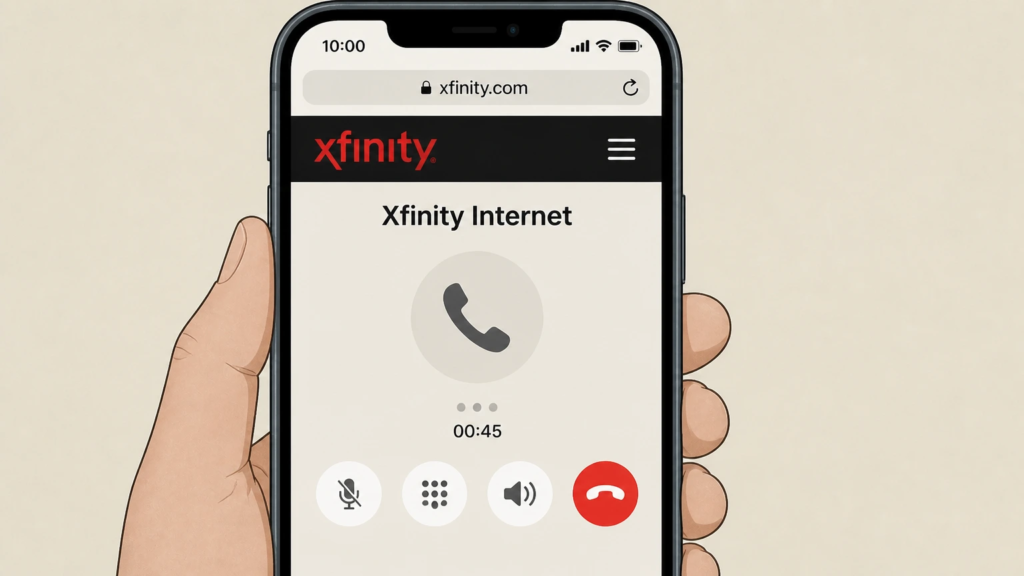
How to Cancel Xfinity Internet by Phone
Calling Xfinity is another option if you cannot complete the cancellation online or through the app. Speaking with a representative can also be useful when you have questions about your contract, final bill, equipment, or other services on the same account.
Steps to Cancel by Phone
Before calling, keep your Xfinity account information nearby. You may also need to verify your identity.
When you reach an Xfinity representative:
- Tell them clearly that you want to cancel your Xfinity internet service.
- Provide the account information needed to verify your account.
- Confirm which service you want to cancel, especially if you have multiple Xfinity services.
- Ask for the available cancellation date and whether any charges will apply.
- Confirm what equipment you need to return and how to return it.
- Ask how your final bill will be calculated and when you should expect it.
- Request a cancellation confirmation or reference number.
Before Ending the Call
Do not end the call until you are clear about the most important details. In particular, make sure you know:
Cancellation date → Final bill → Equipment return → Confirmation
If you are switching to another internet provider, coordinate your Xfinity cancellation date with the start of your new service to avoid losing your internet connection.
Keep the confirmation details until you have received your final bill and verified that Xfinity is no longer billing you for the canceled internet service.
Can You Cancel Xfinity Internet at Any Time?
In most cases, you can request to cancel your Xfinity internet service when you decide to stop using it. However, when the cancellation takes effect and whether you owe any additional charges can depend on your specific plan and account terms.
If you are on a month-to-month plan, there may be fewer restrictions than with a plan that includes a term agreement. Customers with a service agreement should review its terms before canceling, as ending the service early may result in an early termination charge.
If You Are Moving
You do not necessarily have to cancel your Xfinity account just because you are moving. Xfinity may offer service at your new address, depending on availability. If you are moving outside the service area or switching providers, you can request cancellation instead.
If You Want to Stop Service Immediately
You can ask Xfinity for the earliest available cancellation date, but the service may not always stop the same day you make the request. Your billing cycle, account terms, and the cancellation method can affect the final service date.
For this reason, ask Xfinity to confirm the exact date your internet service will end before completing the cancellation.
A Simple Rule to Follow
If you want to avoid surprises, check your account before canceling and confirm:
- Whether your plan has a contract or term agreement
- Your current billing period
- The requested cancellation date
- Any possible remaining charges
- Whether other services on your account will be affected
This gives you a clearer idea of what to expect before you officially cancel Xfinity internet.
Are There Any Fees for Canceling Xfinity Internet?
Canceling Xfinity internet does not automatically mean you will be charged a cancellation fee. The amount you may owe, if anything, depends on your plan, agreement, billing situation, and equipment.
Common Charges to Check
| Possible charge | Why it may apply |
|---|---|
| Early termination fee | Your plan may have a term agreement that includes a charge for ending service early. |
| Final bill | You may still have a balance for service already provided or other account charges. |
| Unreturned equipment | Xfinity may charge you if rented equipment is not returned as required. |
| Other service charges | Additional Xfinity services on the account may have their own terms or remaining balances. |
How to Avoid Unexpected Costs
Before you submit your cancellation request, ask Xfinity to explain all charges that may appear on your final bill. If you have an agreement, specifically ask whether an early termination charge applies to your account.
You should also return any Xfinity equipment within the required timeframe and keep your return receipt or tracking information. This is important because an equipment charge can appear if Xfinity does not receive the device.
Finally, check your final bill after the cancellation is processed. If you see a charge you do not recognize, contact Xfinity and ask for an explanation rather than assuming it is a cancellation fee.
Tip: There is no single cancellation fee that applies to every Xfinity customer. Your account’s specific terms are the best source for determining whether you will owe a fee.
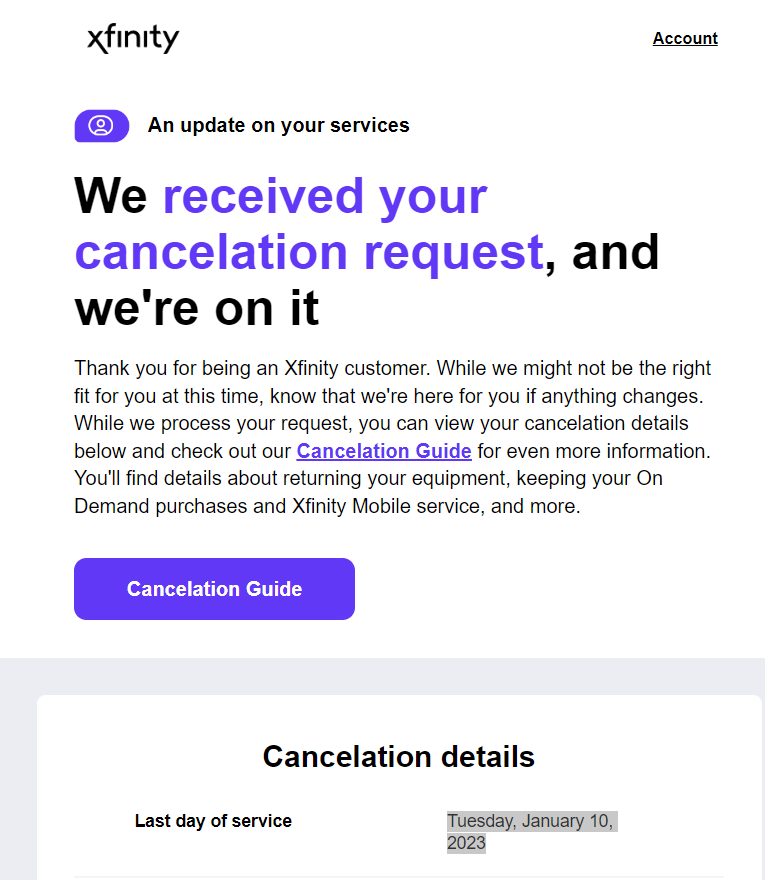
What Happens After You Cancel Xfinity Internet?
Once your Xfinity internet service is canceled, there are a few things you should take care of. The cancellation itself is only one part of the process; checking your final bill and returning rented equipment can also be important.
Your Internet Service Stops
On the confirmed cancellation date, your Xfinity internet service will end. If you need internet for work, school, streaming, or other activities, make sure you have another connection ready if you are switching providers.
Your Final Bill Is Processed
You may receive a final bill after cancellation. It can include charges for service used before the cancellation date, outstanding balances, applicable fees, or adjustments to your account.
Review the final statement carefully rather than assuming the account has a zero balance.
Xfinity Equipment Must Be Returned
If you rented equipment from Xfinity, such as a gateway or other device, you generally need to return it after canceling your service. Follow the return instructions provided by Xfinity and keep proof that you sent or handed over the equipment.
Your Account May Still Be Accessible
Canceling internet service does not necessarily mean all access to your Xfinity account disappears immediately. You may still need to sign in to view billing information or manage matters related to your former service.
Keep Your Cancellation Records
Save your cancellation confirmation, final bill, and equipment return receipt until everything is settled. These records can be helpful if you later notice a billing issue or an equipment charge.
These final steps help ensure that your Xfinity internet cancellation is complete and that you avoid unexpected problems.
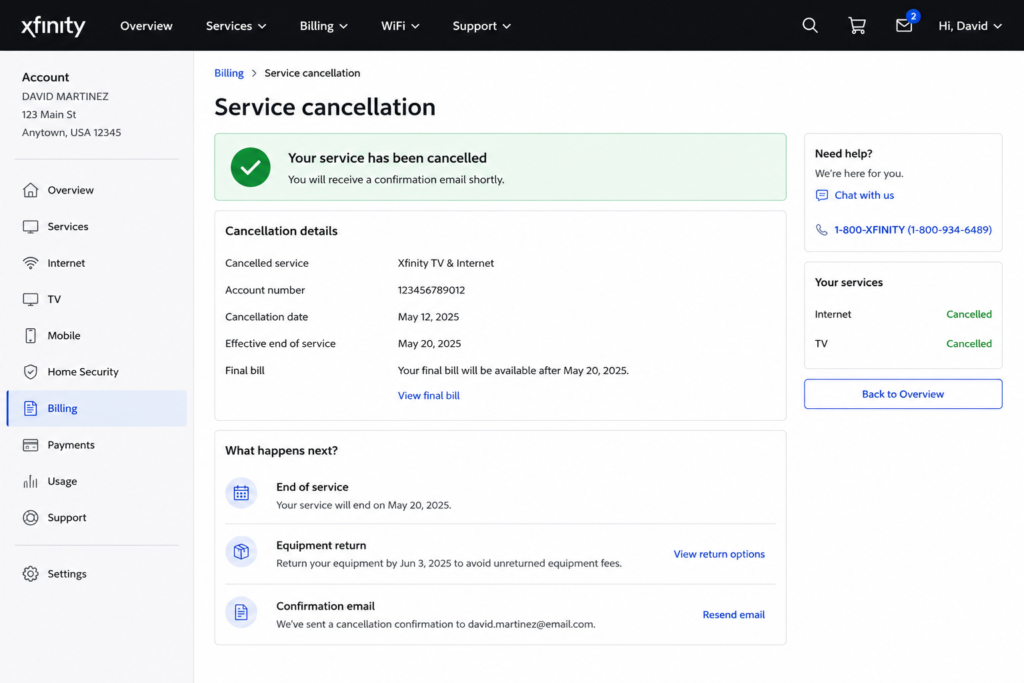
What If You Cannot Cancel Xfinity Internet?
Sometimes, you may try to cancel your Xfinity internet service but find that the online option is unavailable, the app does not show a cancellation feature, or your request does not go through. This does not necessarily mean you cannot cancel the service.
Start by Checking Your Account
Sign in to the correct Xfinity account. If you have multiple services or accounts, verify that the internet service you want to cancel appears under the account you are managing.
If the cancellation option is missing, check Xfinity’s available support options instead of repeatedly trying the same online process.
Contact Xfinity Support
If you cannot complete the request online or in the app, contact Xfinity and clearly explain that you want to end your internet service.
Ask the representative to confirm:
- Whether your account can be canceled
- The earliest available cancellation date
- Any remaining balance or applicable charges
- Which equipment must be returned
- How you will receive your final bill
- Your cancellation confirmation or reference number
If You Are Moving
If you are canceling because you are moving, explain this to Xfinity. Your options may be different if Xfinity service is available at your new address. You can decide whether to transfer your service or close the account completely.
If You Are Still Being Billed
If you requested cancellation but continue to see charges, first check the confirmed cancellation date and your final bill. A charge may relate to service provided before the cancellation became effective.
If the billing does not match what Xfinity confirmed, contact support and provide your cancellation confirmation and any relevant records.
Keeping written confirmations and equipment return receipts can make it much easier to resolve a cancellation or billing issue.
How Long Does It Take to Cancel Xfinity Internet?
The time required to cancel Xfinity internet depends on how you submit the request and the cancellation date you choose. In some cases, Xfinity can process the request quickly, but the service may continue until the scheduled cancellation date.
Request Time vs. Service End Time
These are two different things:
Cancellation request: This is when you tell Xfinity that you want to end the service.
Service end date: This is the date Xfinity schedules your internet connection to stop.
Because of this, submitting a cancellation request does not always mean that your internet will disconnect immediately.
What Can Affect the Timing?
Several factors may influence when your service ends, including:
- The cancellation date you request
- Your current billing cycle
- Your account or plan terms
- Whether you have other Xfinity services
- How the cancellation request is processed
If you need your internet to remain active until a particular day, tell Xfinity that when requesting cancellation.
After the Service Ends
Even after Xfinity disconnects your internet connection, you may still need to complete some account-related tasks. You may need to return rented equipment and review your final bill.
For that reason, keep your cancellation confirmation until the account is fully settled. If you are switching providers, arrange your new connection before the Xfinity service ends to minimize downtime.
Best approach: Ask Xfinity for the exact date your service will stop and keep that date with your cancellation confirmation for your records.
How to Return Xfinity Equipment After Cancellation
If you have Xfinity equipment that belongs to the company, you may need to return it after canceling your internet service. Returning the equipment on time can help you avoid potential unreturned-equipment charges.
What Equipment Should You Return?
The exact equipment on your account can vary, but it may include devices such as an Xfinity gateway, modem, TV equipment, or other rented hardware.
Check your Xfinity account or cancellation instructions to see which equipment belongs to your service.
Ways to Return Xfinity Equipment
Xfinity may provide different return options depending on your location and equipment. Follow the return instructions given with your cancellation request.
Common options can include:
- Xfinity Store: Take the equipment to an Xfinity store that accepts returns.
- UPS return: Xfinity may provide instructions for returning eligible equipment through UPS.
- Other available return methods: Your account may show additional options depending on your location.
Before handing over the equipment, make sure you return the items Xfinity requested rather than sending unrelated personal devices.
Keep Proof of the Return
This is an important step that is easy to overlook. If you ship the equipment, keep the tracking information and shipping receipt. If you return it in person, keep the receipt or confirmation provided to you.
After Xfinity processes the return, check your account or final bill to make sure the equipment shows as returned.
If Xfinity later charges you for equipment you already returned, use your receipt or tracking information to show that you sent the device back.
What Happens to Your Xfinity Email After Cancellation?
If you use an Xfinity email address, it is important to understand what may happen to that email account when you cancel your internet service. Losing access to an email address can be inconvenient if you use it for online accounts, bills, or important messages.
Can You Keep Your Xfinity Email?
Xfinity’s policies regarding email access can depend on your account status and circumstances. After disconnecting your internet service, do not assume that your Xfinity email will continue working indefinitely.
If you regularly use an Xfinity email address, check the current Xfinity guidance for your account before completing the cancellation.
Prepare Your Email Before Canceling
If you rely on your Xfinity email, take some time to protect your important information:
- Update important accounts: Change the email address on banking, shopping, social media, and other important accounts.
- Save important messages: Download or otherwise preserve emails you may need later.
- Notify your contacts: Give important contacts your new email address.
- Set up another email account: Having a separate email provider can make the transition easier.
- Check recovery information: Update recovery email addresses on your important online accounts.
Don’t Wait Until After Cancellation
It is better to handle your email transition before you cancel Xfinity internet. Once service has been disconnected, you may not want to rely on continued access to an Xfinity email address.
If your Xfinity email is important to you, verify the current account and email-access rules directly with Xfinity before finalizing your cancellation.
Can You Get a Refund After Canceling Xfinity Internet?
Whether you receive money back after canceling Xfinity internet depends on your account balance, billing situation, and the terms that apply to your service. A cancellation does not automatically mean that every customer receives a refund.
When a Refund May Be Possible
You may receive a credit or refund if your account shows a credit balance after Xfinity applies the final charges. For example, you may have overpaid your bill or have another credit remaining after the service ends.
Your final bill should show whether there is an amount still owed or a credit remaining on the account.
What About a Prepaid Amount?
If you paid for service in advance, the treatment of that payment can depend on Xfinity’s billing terms and the circumstances of your cancellation. Do not assume that unused service will automatically be refunded.
Instead, check the final billing statement or ask Xfinity how any remaining credit will be handled.
How to Check for a Refund
After your service is canceled:
- Review your final Xfinity bill.
- Check whether the account shows a balance due or a credit.
- Look for any adjustments or charges related to the cancellation.
- If you believe Xfinity owes you money, contact support and ask about the credit or refund.
- Keep your final bill and cancellation confirmation for your records.
Keep in mind: Equipment charges, outstanding balances, or other account adjustments can affect the amount ultimately credited or refunded. The final account statement is the best place to start when checking whether you are eligible for money back.
Frequently Asked Questions About Canceling Xfinity Internet
Can I Cancel Xfinity Internet Online?
Yes, you may be able to start or request cancellation online through your Xfinity account. The options available can vary depending on your account and services.
Can I Cancel Xfinity Internet Without Calling?
Yes. If an online cancellation option is available for your account, you may not need to call. Otherwise, Xfinity may require you to contact support to complete the request.
Can I Cancel Xfinity Internet Anytime?
You can generally request to end your service, but your plan terms may affect the cancellation date or charges. Check your agreement before canceling.
Does Xfinity Charge a Cancellation Fee?
Not every customer pays a cancellation fee. If your plan has a term agreement, an early termination charge may apply.
How Do I Return Xfinity Equipment?
Follow the return instructions provided by Xfinity after cancellation. Depending on your situation, you may have options such as returning equipment to an Xfinity location or using an approved shipping method.
Will Xfinity Refund Me After Cancellation?
A refund or account credit may be available if your account has a qualifying credit after the final charges are applied. Check your final bill or contact Xfinity for details.
How Do I Know My Xfinity Internet Is Canceled?
Check your cancellation confirmation and the service end date provided by Xfinity. You can also review your account and final bill to make sure the service has been closed.
Conclusion
Canceling Xfinity internet is easier when you know what to expect before ending your service. You can request cancellation through available online options, the Xfinity app, or by contacting Xfinity directly.
Before you cancel, check your plan terms, confirm the service end date, and ask about any possible charges. Afterward, return any Xfinity equipment as instructed and review your final bill for remaining balances, credits, or unexpected fees.
If you are switching to another internet provider, arrange your new connection ahead of time to avoid unnecessary downtime. Keep your cancellation confirmation and equipment return records until Xfinity fully settles your account.
Follow these steps to cancel Xfinity internet smoothly and make sure Xfinity completes the cancellation correctly.