introduction
Peacock offers movies, TV shows, live sports, news, and other entertainment, but you may eventually decide that you no longer want to pay for the service. If you are wondering how do I cancel Peacock subscription, the steps depend on where you originally purchased your plan.
A subscription purchased directly from Peacock can generally be managed through your Peacock account. However, if you subscribed through Amazon, Roku, Apple, Google Play, or another third-party provider, you may need to cancel it through that platform instead.
Before canceling, check your next billing date and make sure you are signed into the account connected to your paid plan. You can also visit the official Peacock website if you need to access your account or review the service.
What to Know Before Canceling Peacock
Before you cancel your subscription, take a moment to check a few important details. First, find your next renewal date. This tells you how much time you have to cancel before another charge occurs.
You should also find out where you pay for your Peacock subscription. The billing platform matters because Peacock may not handle subscriptions that another company manages.
For example, if you subscribed through Roku, you may need to cancel through Roku. If you subscribed through Amazon, you may need to manage the cancellation through Amazon.
It is also important to remember that canceling a subscription is not the same as deleting your Peacock account. You can stop the paid membership without necessarily removing your account.
How Do I Cancel Peacock Subscription Online?
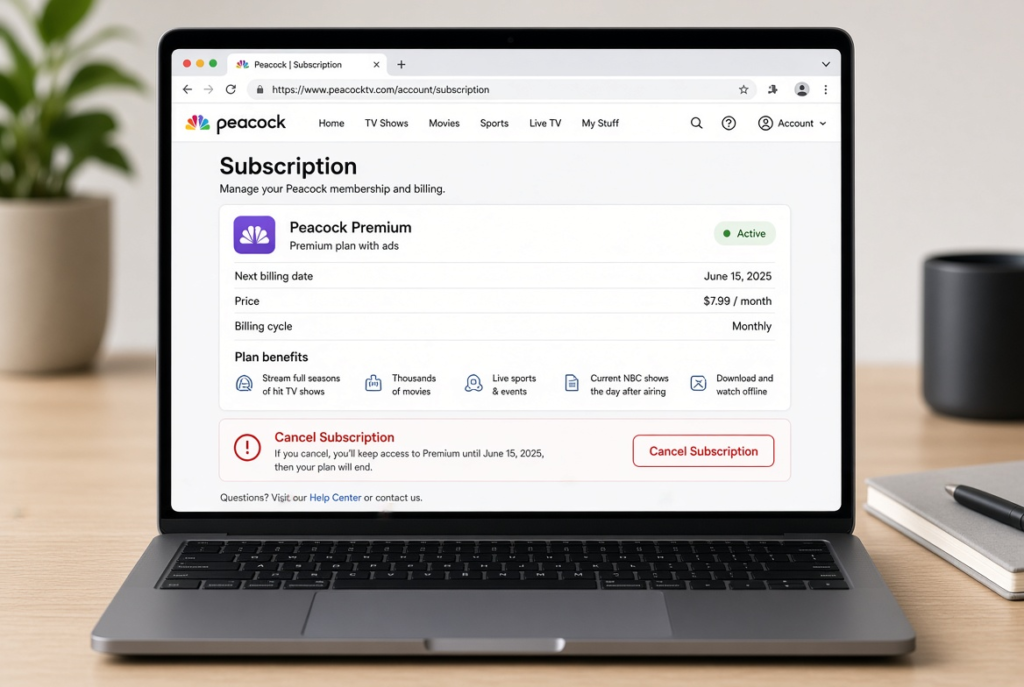
If you subscribed directly through Peacock, you can manage your membership from your Peacock account. This is usually the simplest method when Peacock itself handles your billing.
Cancel Peacock From Your Account
- Go to the official Peacock website and sign in.
- Open your account or profile settings.
- Find the section related to your plan or subscription.
- Select the available option to change or cancel your plan.
- Follow the cancellation instructions shown on the screen.
- Confirm the cancellation when prompted.
Do not stop after selecting the first cancellation option. Continue through the prompts until Peacock confirms that the cancellation has been completed.
Afterward, return to your account and check your membership status. You should also look for a confirmation email if Peacock provides one.
If you cannot find a cancellation option, do not assume you cannot cancel the subscription. A third-party billing service may manage your subscription instead.
How to Cancel Peacock Subscription on a Phone
If you signed up from your phone, the cancellation process depends on how you originally purchased the subscription.
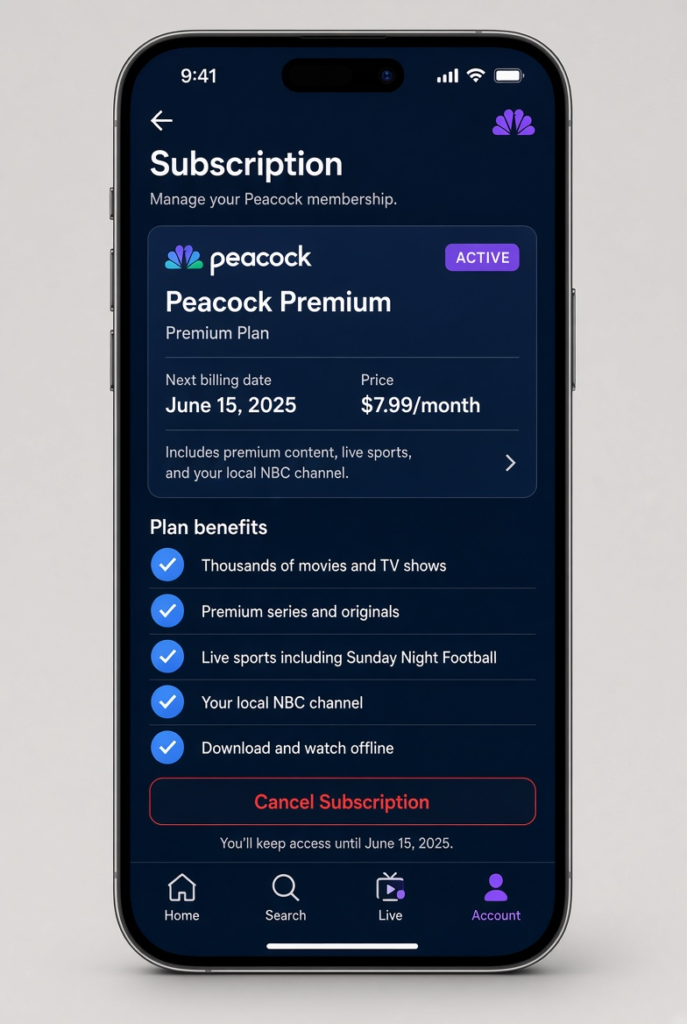
For example, opening the Peacock app and deleting it from your phone will not cancel a paid subscription. You need to cancel the membership through Peacock or the platform responsible for your billing.
If Peacock manages your subscription directly, you can usually sign in through a mobile browser and access your account settings. If Apple, Google Play, Amazon, or another provider handles the payment, use that provider’s subscription settings instead.
Cancel Peacock on iPhone
If you purchased Peacock through Apple, check your iPhone’s subscription settings.
Open your Apple subscription list and look for Peacock among your active or current subscriptions. Select Peacock and follow the available cancellation instructions.
If you cannot find Peacock in your Apple subscriptions, you may have purchased the subscription directly from Peacock or through another service.. In that case, check your Peacock account or payment history to find the correct billing provider.
Cancel Peacock on Android
If you subscribed through Google Play, open Google Play and check your subscriptions.
Find Peacock in the subscription list, select it, and follow the cancellation steps provided by Google Play. Make sure you complete the confirmation process rather than simply removing the Peacock app.
If Peacock does not appear in Google Play, your membership may be billed directly by Peacock or through another platform.
How to Cancel Peacock Through Roku
If you purchased your Peacock subscription through Roku, you may need to manage the membership through your Roku account.
Sign in to your Roku account and open the area where your subscriptions are managed. Find Peacock and follow the available cancellation instructions.
The important thing is to cancel the subscription through the company handling your payment. If Roku is responsible for the billing, canceling through the Peacock website may not stop the Roku-managed subscription.
After canceling, check your Roku subscription information to make sure the membership is no longer scheduled to renew.
How to Cancel Peacock Through Amazon
If you subscribed to Peacock through Amazon, you may need to manage the membership from your Amazon account rather than directly through Peacock.
Sign in to Amazon and open your membership or subscription settings. Find Peacock and select the available option to manage or cancel the subscription. Follow the instructions until Amazon confirms the cancellation.
If you are not sure whether Amazon is billing you, review your Amazon subscription information and previous payment records. This can help you determine whether Amazon is responsible for the Peacock charge.
If you regularly manage other subscriptions through Amazon, you may also find our guide on how to cancel an Amazon subscription useful.
How to Cancel a Peacock Free Trial
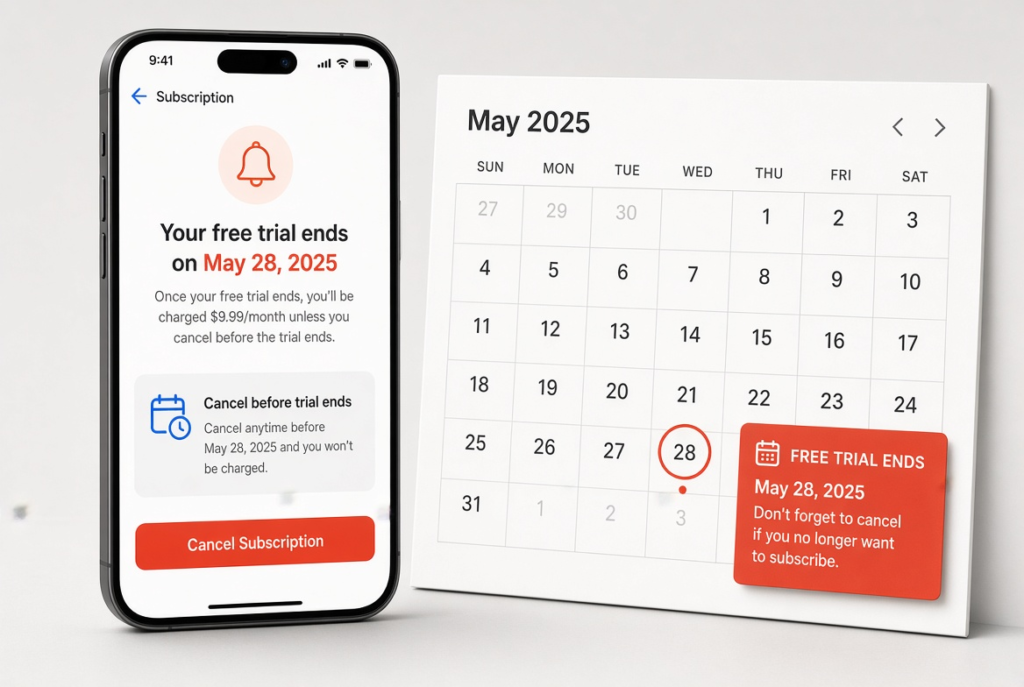
A Peacock free trial can turn into a paid subscription if you do not cancel according to the applicable trial terms. For this reason, check the trial end date as soon as you sign up.
If you already know that you do not want to continue with a paid plan, canceling before the trial ends can help you avoid an unexpected charge.
The exact process depends on where the trial was started. If you signed up directly through Peacock, manage the trial through your Peacock account. If you started it through Apple, Google Play, Amazon, Roku, or another provider, use that provider’s subscription settings.
After canceling, check the account or billing platform again to confirm that the trial will not automatically renew.
What Happens After You Cancel Peacock?
Canceling Peacock generally prevents the subscription from automatically renewing. However, cancellation does not always mean that your access ends immediately.
The timing can depend on your plan, billing arrangement, and the platform through which you subscribed.
Can You Still Watch Peacock After Canceling?
In many cases, you can continue using your paid Peacock benefits until the end of the current billing period. Canceling tells the service not to renew the subscription, but it does not necessarily remove your access immediately.
For example, if you cancel several days before your next renewal date, you may still be able to watch Peacock during the remaining paid period.
Check your account or cancellation confirmation for the date when your access is expected to end. If you can still watch Peacock after canceling, that does not automatically mean the cancellation failed.
How to Check if Your Peacock Subscription Is Canceled
After completing the cancellation process, verify the status instead of assuming that everything went through.
Sign back into your Peacock account and look at your plan or subscription information. Check whether the account shows that the membership will no longer renew.
If you subscribed through another service, check that platform as well. For example, if Roku manages your subscription, check your cancellation status through Roku. If Amazon manages it, check your status through Amazon.
You should also check your email for a cancellation confirmation if Peacock sends one. Save the confirmation or take a screenshot of the cancellation status. This can be useful if you later notice an unexpected charge.
What If You Cannot Cancel Your Peacock Subscription?
Sometimes the cancellation option is missing because the subscription is not being billed directly by Peacock.
Check Where You Purchased Peacock
Think about where you originally signed up. Did you use the Peacock website, an iPhone, Android, Amazon, Roku, or another service?
The answer can tell you where you need to cancel the membership.
If you cannot find Peacock in one subscription management area, check the other platforms you may have used. Searching your email for the original Peacock subscription confirmation can also help identify the billing provider.
Check Your Account and Billing Details
Make sure you are signed into the correct Peacock account. This is especially important if you have more than one email address.
You can also check your bank or credit card statement to identify the company processing your Peacock payment. Once you know who is billing you, use that provider’s cancellation process.
If you have confirmed the correct account and billing platform but still cannot cancel the subscription, contact Peacock through its official support options.
Can You Get a Refund After Canceling Peacock?
Canceling a Peacock subscription and requesting a refund are generally two different processes.Canceling your subscription can stop future renewals, but it does not automatically guarantee a refund for a payment you already made.
If you received a recent charge and believe you qualify for a refund, review the current refund terms and contact the provider that charged you.
The provider responsible for the payment can matter here. If Peacock charged you directly, contact Peacock. If Apple, Google Play, Amazon, Roku, or another provider processed the payment, you may need to follow that platform’s refund process.
Before requesting a refund, keep your payment information and cancellation confirmation available. These details can make it easier to explain when the charge occurred and when you canceled.
How to Avoid Another Peacock Subscription Charge
The easiest way to avoid another charge is to cancel before your next renewal date and verify that the subscription is no longer scheduled to renew.
Do not rely only on deleting the Peacock app or stopping your use of the service. An unused subscription can still renew if it remains active.
After canceling, check your account or the relevant billing platform. Save your confirmation and, if necessary, check your bank or card statement around the next expected billing date.
If you manage several streaming subscriptions, reviewing them regularly can also help you identify services that you no longer use.
Frequently Asked Questions
How do I cancel Peacock without logging in?
You generally need access to the account or billing platform managing the subscription. If you cannot sign in, use Peacock’s official account recovery or support options to regain access or get help with the membership.
Does canceling Peacock stop it immediately?
Not necessarily. Depending on your subscription and billing arrangement, you may continue to have access until the end of the current paid period.
Can I cancel Peacock anytime?
You can generally cancel before your next renewal to prevent another subscription charge. Check your account to find your renewal date and see when the next payment is due.
Can I cancel Peacock during a free trial?
Yes, if your trial terms allow cancellation. If you do not want the trial to become a paid membership, cancel before the trial ends and confirm that the cancellation was successful.
Will I lose my Peacock account after canceling?
Canceling the paid subscription does not necessarily delete your Peacock account. Your account may remain available even after the paid membership ends, depending on the service’s current options.
Why can’t I find Peacock in my subscriptions?
Peacock may charge you directly through its website or through a provider such as Apple, Google Play, Amazon, or Roku. Check where you originally purchased the membership to find the correct cancellation option.
Can I cancel Peacock after being charged?
You can usually cancel after a charge has been processed to prevent future renewals. However, canceling after a payment does not automatically guarantee a refund for that charge.
CONCLUSION
If you are searching for how do I cancel Peacock subscription, first find out who handles your billing. You can usually manage a direct Peacock subscription through your Peacock account. If you purchased the membership through Amazon, Roku, Apple, Google Play, or another provider, cancel it through that platform.
Before you finish, check your renewal date, complete all cancellation steps, and confirm that the provider will not renew your subscription.Keeping a cancellation email or screenshot can also give you a record of the request if you need to resolve a billing issue later.