

Introduction
Need to cancel an Uber ride? You can usually cancel an active trip directly from the Uber app in just a few taps. However, Uber may charge a cancellation fee in some situations, so it helps to know when you can cancel without a charge.
Whether you booked the ride by mistake, your plans changed, or your driver is taking too long, this guide explains how to cancel an Uber ride in 2026 and what you should expect afterward.
In this quick guide, you’ll learn:
- How to cancel an active Uber ride in just a few taps.
- How the 2-minute rule can help you avoid a cancellation fee.
- What to do if Uber charges you after you cancel a ride.
- How to request a refund if you believe Uber charged you unfairly.
How to Cancel an Uber Ride in 2026
Yes, you can cancel an active Uber ride directly from the Uber app, but Uber may apply a cancellation fee depending on when you cancel and the ride’s circumstances.
Cancel an Active Uber Ride
To cancel an Uber ride, you only need a few taps in the app:
- Open the Uber app and select your current trip.
- Tap the trip details at the bottom of the screen.
- Select Cancel Ride or the available cancellation option.
- Review any cancellation fee shown and confirm that you want to cancel.
After you cancel, Uber should show the updated trip status in the app. If the app displays a cancellation fee before you confirm, review the amount carefully before completing the cancellation.
Canceling Before Your Driver Arrives
If your driver has not reached your pickup location yet, you can still cancel the ride from the trip screen. However, Uber may charge a fee depending on factors such as how long you waited and when the driver accepted the request.
If you want to cancel Uber ride without charge, check the cancellation information shown in the app before you confirm. The fee rules can vary by location, ride type, and other circumstances.
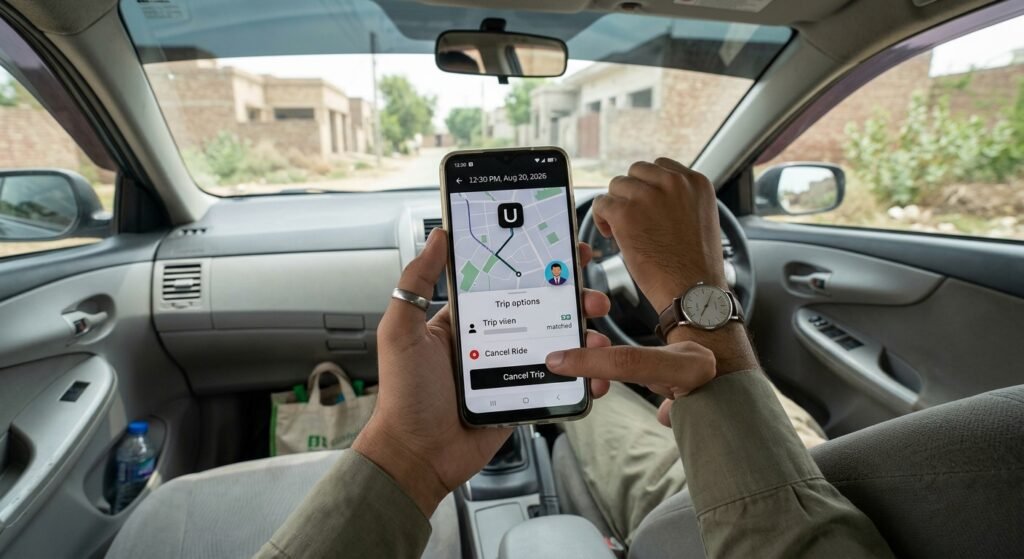
Cancel an Uber Ride Directly From the App
Yes, you can cancel an Uber ride directly from the Uber app after booking it. Uber shows the cancellation option on your active trip screen, and the app may also tell you whether a cancellation fee applies before you confirm.
Cancel an Active Uber Ride
To cancel an Uber ride, follow these quick steps:
- Open the Uber app and tap your active trip.
- Open the trip details and select Cancel Ride.
- Review the cancellation information and any fee Uber displays.
- Confirm the cancellation and wait for Uber to update your trip status.
You don’t need to contact the driver to cancel the trip. The Uber app handles the cancellation for you.
What If the Driver Has Already Accepted?
You can still cancel after a driver accepts your request. However, the timing can affect whether Uber charges a cancellation fee.
If the driver accepted your request less than two minutes ago, the 2-minute rule may allow you to cancel without a cancellation fee. Uber’s policies can vary by location and ride type, so always check the fee shown in the app before confirming.
Before You Cancel, Make Sure You Check These Things
Before you confirm the cancellation, make sure you check the following:
- Make sure you check the fee: Uber may show a cancellation fee before you confirm. Review the amount before tapping the final confirmation.
- Make sure you check the timing: If the driver accepted your request less than two minutes ago, you may qualify for free cancellation under Uber’s applicable rules.
- Make sure you check the trip details: Confirm that you’re canceling the correct active ride, especially if you recently booked more than one trip.
- Make sure the app confirms the cancellation: After canceling, return to the trip screen and check that Uber no longer shows the ride as active.
If you want to cancel Uber ride without charge, checking these details before you confirm can help you avoid an unexpected fee. Don’t simply close the app or turn off your phone; use the cancellation option so Uber receives your request properly.
What Happens When You Cancel an Uber Ride?
When you cancel an Uber ride, Uber ends the active trip request, but the result can vary depending on when you cancel. You may cancel for free in some situations, while Uber may apply a cancellation fee in others.
If you cancel shortly after booking, you may avoid a fee. The 2-minute rule is especially important: when the driver accepts your request, canceling within two minutes generally does not result in a cancellation fee. Always check the amount Uber displays in the app because policies can vary by location and ride type.
Your Driver Won’t Continue the Trip
Once you cancel the ride through the app, the driver should no longer continue toward your pickup for that canceled trip. If you still see the trip on your screen for a short time, give the app a moment to update.
Uber May Apply a Cancellation Fee
Uber can charge a cancellation fee when you cancel outside the conditions for free cancellation. The app normally shows the applicable fee before you confirm, so check that information carefully.
The fee can depend on factors such as your location, ride type, how long you waited, and when the driver accepted the request. Because these rules can change, rely on the amount and information Uber shows for your specific ride.
Your Payment May Show a Temporary Hold
Sometimes you may notice a pending amount on your payment method even when Uber has not completed the final charge. This can happen because Uber may place a temporary authorization hold when you request a ride.
A pending amount does not necessarily mean Uber charged you a cancellation fee. Check your Uber trip details and payment activity before assuming that Uber has taken the money permanently.
Keep Your Cancellation Details
If Uber charges you after cancellation and you believe the charge is incorrect, keep the trip details and payment information. You can use those details when you contact Uber Support or request a review through the app.
Knowing what happens after cancellation makes it easier to tell the difference between a normal payment hold, a legitimate cancellation fee, and a charge that you may need to dispute.
Will Uber Charge You for Canceling a Ride?
Uber may charge a cancellation fee, but you can often avoid it by canceling within the applicable free-cancellation period. The exact rules depend on factors such as your location, ride type, and when you cancel.
The 2-Minute Rule
One of the most important things to remember is the 2-minute rule. If your driver has accepted the ride, you can generally cancel within the first two minutes without a cancellation fee.
For example, if your driver accepts your request at 2:00 PM and you cancel at 2:01 PM, you generally won’t pay a cancellation fee under this rule.
However, Uber’s cancellation policies can vary by market and ride type. Before you confirm the cancellation, check the amount displayed in the app. If Uber shows a fee, review it before completing the cancellation.
When Might Uber Charge a Fee?
Uber may charge a cancellation fee when you cancel after the applicable free-cancellation period or when your ride falls under a different cancellation policy.
Factors that can affect the fee include:
- How long you wait before canceling
- When the driver accepts your request
- Your ride type
- Your location
- The specific cancellation policy for that trip
If you want to cancel Uber ride without charge, don’t rely only on a general rule. Open the trip screen and check what Uber shows for your specific ride before you confirm.
What If Uber Shows a Fee?
If the app displays a cancellation fee, you can decide whether canceling still makes sense. If you believe Uber has shown the fee incorrectly, keep your trip details and contact Uber Support after the cancellation.
The safest approach is to check the fee before tapping the final cancellation button. That way, you know what Uber will charge before you complete the request.
Uber’s cancellation policies can vary depending on your location and ride type. For the latest information about cancellation fees, you can also check the official Uber Help Center.
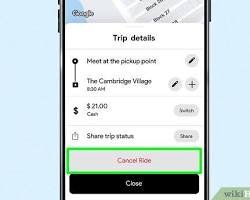
How to Cancel a Scheduled Uber Ride
Yes, you can cancel a scheduled Uber ride through the Uber app before the trip begins. The cancellation rules can differ from an immediate ride, so check the app for any fee before you confirm.
Cancel a Scheduled Ride in 4 Steps
- Open the Uber app and go to Activity or your upcoming trips.
- Select the scheduled ride you want to cancel.
- Tap Cancel Ride and review any cancellation fee Uber displays.
- Confirm the cancellation and check that the scheduled trip no longer appears as active.
Keep These Points in Mind
A scheduled ride can have different cancellation terms depending on when you cancel it. Don’t assume that the 2-minute rule for an accepted immediate ride applies in exactly the same way to every scheduled trip.
Before you cancel, make sure you:
- Check the scheduled pickup time so you select the correct trip.
- Review any cancellation fee shown in the app.
- Confirm the trip disappears from your upcoming rides after cancellation.
If you’re searching for how to cancel Uber ride schedule, these steps should help you remove the upcoming booking without having to contact the driver directly.
Can You Get a Refund After Canceling an Uber Ride?
Yes, you may get your money back in some situations, but canceling an Uber ride does not automatically guarantee a refund. Your refund depends on why Uber charged you, the type of charge, and what happened when you canceled.
If Uber charged a cancellation fee correctly under the applicable policy, you may not qualify for a refund simply because you changed your mind about the ride. However, you can ask Uber to review the charge if you believe the app charged you incorrectly.
When Should You Ask Uber for a Refund?
You may want to contact Uber if:
- Uber charged a cancellation fee even though you canceled within the applicable free-cancellation period.
- You canceled the ride but Uber charged you an amount that does not match the fee shown in the app.
- Uber charged you after you successfully canceled the trip.
- You believe a technical problem or another issue caused an incorrect charge.
How to Request a Refund or Charge Review
Open the Uber app and find the canceled trip in your trip history. Select the trip and look for the Help or support option related to the charge. Choose the issue that best matches your situation and submit the details Uber requests.
Explain what happened clearly and include any relevant trip or payment information.Your refund depends on why Uber charged you, the type of charge, and what happened when you canceled.
If you’re wondering if you cancel Uber ride do you get money back, remember that cancellation and refund are separate issues. Canceling stops the ride, while Uber reviews refunds based on the specific charge and circumstances.
For more information about getting money back after canceling a booking, you can also read our guide on How to Cancel Hotel Bookings and Get Your Money Back.
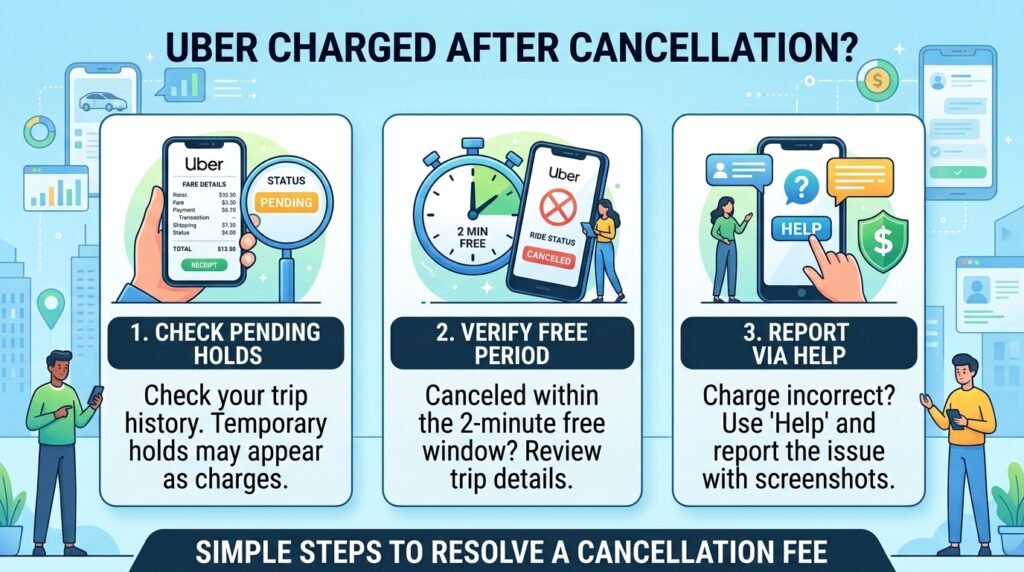
What to Do If Uber Charges You After Cancellation
If Uber charges you after you cancel a ride, first check the trip details and payment history before requesting a refund. The charge may be a cancellation fee, a temporary payment hold, or a payment that Uber needs to review..
Check the Charge First
Open the Uber app and find the canceled trip in your trip history. Review the fare and payment details to see what Uber charged and when the transaction appeared.
A pending amount does not always mean Uber completed a final charge. Your bank or payment provider may temporarily hold an amount when you request a ride, and the hold can disappear later.
Compare the Charge With the Cancellation Details
Think back to when you canceled the ride. If you canceled outside the applicable free-cancellation period, Uber may have charged a cancellation fee.
On the other hand, if you canceled within the 2-minute period after the driver accepted your request and Uber still charged you a cancellation fee, review the trip carefully. The rules can vary by location and ride type, so check the information Uber displayed for that specific trip.
Ask Uber to Review an Incorrect Charge
If the charge doesn’t look right, use the Help option for the trip in the Uber app and report the payment issue. Explain when you canceled the ride and why you believe the charge was incorrect.
Keep any relevant payment information or screenshots you have. These details can help Uber understand the issue and review the transaction.
Don’t immediately assume that every post-cancellation charge means Uber charged you incorrectly. First identify the type of charge, then contact Uber if the amount still doesn’t match the cancellation information shown in your account.
Why Can’t I Cancel My Uber Ride?
If you can’t find the cancellation option, the ride status or your app may be preventing you from canceling it normally. Start by checking the active trip screen and make sure you have selected the correct ride.
A few common situations can explain why the option looks different:
Your Ride Has Already Started
If the driver has already picked you up and the trip has started, you cannot treat it like a normal pending ride cancellation. Instead, use the available trip or support options in the Uber app if you need help with the journey.
The App Is Not Responding
A temporary app or connection problem can prevent the cancellation option from loading correctly. Try closing and reopening Uber, checking your internet connection, and opening the active trip again.
If an update is available, updating the Uber app may also resolve a temporary problem.
You Have Multiple Trips
If you recently booked more than one ride, make sure you opened the correct trip before canceling. Check the driver’s name, vehicle information, and pickup location to avoid canceling the wrong booking.
Uber Doesn’t Show a Cancellation Option
If the app still doesn’t give you a way to cancel, open the trip’s Help section and look for an option related to the ride or cancellation. Uber Support can guide you when the normal cancellation option doesn’t work.
Avoid simply waiting for the driver to cancel the trip for you. If you no longer need the ride, use the options available in the app so you have a clear record of what happened.
Frequently Asked Questions About Canceling an Uber Ride
Can I cancel an Uber ride after a driver accepts it?
Yes, you can usually cancel the ride after a driver accepts your request. However, Uber may apply a cancellation fee depending on when you cancel and the rules for your ride.
Can I cancel an Uber ride without a fee?
You may cancel without a fee if you meet Uber’s free-cancellation conditions. In many cases, canceling within two minutes after the driver accepts your request can help you avoid the fee. Always check the amount shown in the app before confirming.
What happens if I cancel an Uber ride?
Uber ends the ride request after you cancel it. Depending on when you cancel, Uber may charge a cancellation fee. If you already see a temporary payment hold, the amount may disappear later rather than become a final charge.
Can I cancel a scheduled Uber ride?
Yes, you can cancel a scheduled Uber ride from the Uber app before the trip begins. Open your upcoming trips, select the scheduled ride, choose the cancellation option, and review any fee before confirming.
Will I get my money back if I cancel an Uber ride?
Not always. Uber does not automatically refund every cancellation. If you believe Uber charged you incorrectly, open the canceled trip in the app and ask Uber to review the charge.
How do I cancel an Uber ride in the app?
Open the active trip in the Uber app, select the cancellation option, review any applicable fee, and confirm the cancellation. The app should then update the trip status.
What should I do if Uber charges me after I cancel?
Check the canceled trip and payment details first. If the charge looks incorrect, use the Help option for that trip to report the issue and request a review.
Does canceling an Uber ride affect my account?
Canceling an occasional ride does not normally mean you lose access to your Uber account. However, frequent cancellations may have different consequences depending on Uber’s policies and your location.
Conclusion
Canceling an Uber ride usually takes only a few taps, but the timing of your cancellation can affect whether Uber charges a fee. Check the cancellation details in the app before you confirm, especially if your driver has already accepted the request.
If you cancel within the applicable 2-minute period, you can generally avoid a cancellation fee. If Uber charges you after cancellation and you believe the amount is incorrect, review the trip details and contact Uber Support through the app.
By checking the fee, confirming the cancellation, and keeping your trip details, you can cancel your Uber ride with fewer surprises.