

INTRODUCTION:
In today’s digital economy, automatic payments have become a core part of how individuals and businesses manage their financial transactions. Whether it is a streaming subscription, a cloud software tool, a mobile application, or a membership service, recurring billing allows companies to charge users automatically without requiring manual approval each time.
While this system offers convenience, it also creates a growing financial challenge. Many users unknowingly continue paying for services they no longer use. Others forget to cancel free trials, resulting in unexpected charges. In some cases, users may not even recognize where the charges are coming from.
This is why understanding how to stop automatic payments on a credit card is essential.
This comprehensive guide is designed to provide a deep understanding of:
How automatic payments work
Why recurring billing can become a problem
Step-by-step methods to cancel subscriptions
How to block payments through your bank
How to track and manage subscriptions
Ways to prevent unwanted charges in the future
This guide is written in simple yet professional language so that individuals, freelancers, and business owners can easily apply these strategies.
Understanding Automatic Payments and Recurring Billing
Automatic payments, also known as recurring payments, are transactions that are charged to your credit card at regular intervals. Once you authorize a company to bill your card, they can continue charging you based on a fixed schedule.
These payments are commonly used in:
Subscription-based services
Digital platforms and SaaS tools
Online memberships
Utility billing systems
Financial service platforms
The main advantage of automatic billing is convenience. However, the downside is that it reduces user awareness. Over time, users may forget which subscriptions they have authorized.
How Automatic Payments Work
To fully understand how to stop automatic payments, it is important to understand how they are created.
User Signs Up:
A user subscribes to a service and enters their credit card details.
Agreement to Terms:
The user agrees to terms and conditions, which include recurring billing authorization.
Payment Authorization:
The company receives permission to charge the card automatically.
Billing Cycle Begins:
The system charges the user based on a monthly, quarterly, or yearly cycle.
Continuous Charges:
Charges continue until the user cancels the subscription.
Many users skip reading the terms, which leads to confusion later.
Types of Automatic Payments Explained:
Understanding the different types of recurring payments helps users manage them effectively.
Fixed Recurring Payments:
These payments have a fixed amount charged at regular intervals.
Example:
Monthly subscription of $10
Variable Payments:
These payments change based on usage.
Example:
Utility bills
Pay-as-you-go services
Free Trial Conversions:
A service offers a free trial, but automatically starts charging after the trial ends.
This is one of the most common causes of unexpected charges.
Installment Payments:
Payments are divided into multiple billing cycles.
Why Automatic Payments Become a Financial Problem:
Automatic payments are designed to simplify billing, but they can lead to several financial issues.
Forgotten Subscriptions
Users often forget about subscriptions they signed up for months ago.
Free Trial Charges
Free trials automatically convert into paid plans if not canceled.
Multiple Subscriptions
Users may subscribe to multiple services without tracking them.
Unauthorized Charges
Sometimes, users may see charges they do not recognize.
Lack of Financial Awareness
Because payments are automatic, users may not actively monitor them.
Hidden Cost of Recurring Billing
Many small subscriptions may seem insignificant individually, but together they can create a significant financial burden.
Example:
$10 (streaming)
$15 (software tool)
$8 (mobile app)
$20 (membership)
Total: $53/month = $636/year
This shows how important it is to control automatic payments.
How to Identify All Active Subscriptions
Before stopping payments, you need to identify all active subscriptions.
Check Credit Card Statements
Download last 3–6 months of statements
Look for repeated charges
Identify patterns
Check Email Inbox
Search for:
“Subscription”
“Billing”
“Invoice”
Use Banking Apps
Many apps show:
Active subscriptions
Recurring charges
Review App Stores
Check:
Google Play subscriptions
Apple App Store subscriptions
Step-by-Step Guide to Stop Automatic Payments
This is the most important section of the guide.
List All Recurring Payments
Create a list of:
Service name
Billing amount
Billing date
This helps you organize your cancellation process.
Log Into Each Service:
Visit official website
Login to your account
Access account settings
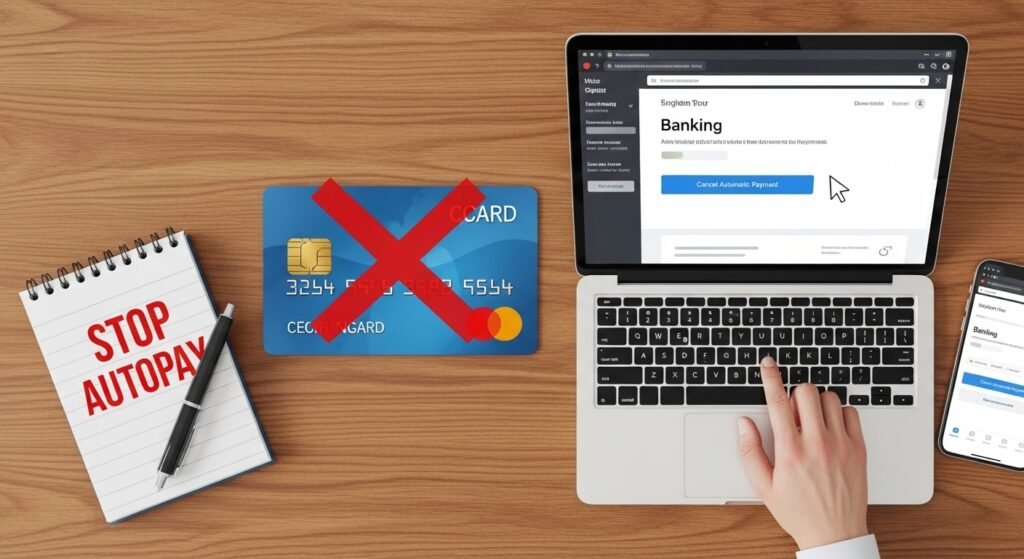
Cancel Subscription
Look for:
Cancel subscription
Billing settings
Manage plan
Follow the steps and confirm cancellation.
Confirm Cancellation
Always check:
Confirmation email
Account status
Without confirmation, charges may continue.
Contact Customer Support
If cancellation is not possible:
Email support
Use live chat
Submit request
Keep records of communication.
Block Payments Through Bank
If the service does not respond:
Contact your bank
Request stop payment
Block merchant
Advanced Methods to Stop Automatic Payments
For stronger control, users can apply advanced methods.
Replace Credit Card
Request new card
Disable old card
Remove Saved Cards
Delete card details from websites
Use Virtual Cards
Create temporary cards for subscriptions
What Happens After You Stop Automatic Payments
Once payments are stopped:
Service access may end
Billing stops for future cycles
Current billing period may continue
Common Mistakes to Avoid
Deleting app instead of canceling
Ignoring billing emails
Missing deadlines
Not checking statements
How to Request Refund
Contact Company Support
Explain the issue clearly.
Provide Details
Include:
Transaction ID
Date of charge
Reason for refund
Follow Up
If no response, escalate the issue.
Bank Dispute Method (Chargeback)
If the company refuses:
Contact your bank
Request chargeback
Provide proof
Banks can reverse transactions in certain cases.
Chargeback Process Explained
Chargeback is a powerful financial protection tool.
Dispute Transaction
Report unauthorized or unwanted charge.
Investigation
Bank investigates merchant response.
Temporary Refund
Funds may be temporarily credited.
Final Decision
Bank confirms whether refund is permanent.
How Businesses Use Subscription Lock-In Models
Many companies use psychological strategies to keep users subscribed:
Easy signup, difficult cancellation
Annual billing discounts
Hidden renewal settings
Limited cancellation windows
These methods increase user retention but can lead to unwanted charges.
Best Practices to Avoid Automatic Payment Issues
To stay in control:
Use Separate Card for Subscriptions
This limits financial risk.
Set Monthly Reminders
Track renewal dates.
Review Statements Weekly
Regular monitoring helps detect issues early.
Avoid Free Trials Without Planning
Always set cancellation reminders.
Financial Impact of Ignoring Subscriptions
Ignoring small subscriptions can lead to major losses:
Example:
5 unused subscriptions × $15/month = $75/month
Yearly loss = $900
Over time, this can significantly impact savings.
Business Perspective on Recurring Billing
From a business point of view, recurring payments are a stable revenue model.
Companies prefer subscriptions because:
Predictable income
Long-term customer retention
Reduced one-time sales effort
However, ethical billing transparency is important for customer trust.
Legal Protection for Consumers
In many regions, laws protect users against unfair billing practices.
Consumers may have rights to:
Cancel subscriptions anytime
Request refunds for unauthorized charges
Dispute billing errors
Understanding your local consumer protection laws can help in disputes.
Psychological Reason Behind Subscription Overuse
Users often underestimate recurring payments due to:
“Small amount bias”
Forgetfulness
Lack of tracking habits
Emotional purchase decisions
Companies use these behaviors to maintain subscriptions.
Technology Behind Automatic Payments
Modern payment systems use:
Tokenization
Secure payment gateways
Billing APIs
Subscription management software
This ensures smooth but continuous billing unless manually stopped.
Final Thoughts
Advanced control over automatic payments requires more than just cancellation. Users must understand banking systems, merchant rules, and financial protections.
By combining:
Merchant cancellation
Bank-level blocking
Refund requests
Chargeback rights
Users can fully control their credit card payments and avoid financial leakage.
EXPERT INSIGHTS ON MANAGING AUTOMATIC PAYMENTS
By now, you understand how automatic payments work and how to cancel or block them. In this final section, we focus on expert-level insights that help you build long-term financial control.
Most financial problems related to subscriptions do not come from one big mistake, but from multiple small ignored payments. Experts suggest that the key is not only cancellation but continuous monitoring and prevention.
Building a Subscription Control System
To avoid future problems, you should build a personal subscription management system.
Create a Subscription List
Maintain a document or spreadsheet containing:
Service name
Monthly cost
Billing date
Cancellation status
Monthly Review Habit
Set a monthly reminder to review all subscriptions.
Budget Allocation
Assign a fixed budget for subscriptions so spending stays controlled.
Advanced Prevention Techniques
Virtual Credit Cards
Some banks allow you to create temporary card numbers for subscriptions. If a service misuses it, you can disable it instantly.
Spending Alerts
Enable SMS/email alerts for every transaction.
Subscription Wallet Method
Use a separate card only for subscriptions to isolate risk.
Psychological Control Over Subscriptions
Understanding human behavior is important.
People often:
Overestimate future usage
Forget subscriptions quickly
Avoid cancellation due to laziness
Continue paying for “just in case” services
Breaking these habits is key to financial control.
How Companies Encourage Automatic Payments
Companies use several strategies:
Free trials that require card details
Automatic renewal by default
Annual billing discounts
Hidden cancellation steps
These strategies are designed to increase retention, but users must stay alert.
Full List of Actions to Stop Automatic Payments
Here is a complete checklist:
Identify all subscriptions
Check credit card statements
Cancel from each service
Contact support if needed
Block merchant via bank
Remove saved payment methods
Monitor next billing cycle
Request refunds if applicable
Troubleshooting Common Issues
Subscription still active after cancellation
Solution: Contact support and bank simultaneously.
Cannot find cancel option
Solution: Use live chat or email support.
Still being charged after blocking
Solution: Request chargeback from bank.
Forgotten subscriptions
Solution: Use bank transaction history search.
FAQs
What is the safest way to stop automatic payments on a credit card?
The safest way to stop automatic payments on a credit card is to handle it from both sides: the company charging you and your bank. If you only do one of these, there’s a risk the payment might still go through or cause problems later.
Once you’ve done both steps, keep checking your credit card statements for at least one or two billing cycles. Sometimes companies attempt to charge again, or there may be a delayed billing. If you see any unexpected charge, report it immediately to your bank so they can dispute it.
Can a bank stop all automatic payments?
When you contact your bank (whether your card runs on Visa or Mastercard), they can place a block on recurring transactions. This can be done in different ways, like stopping payments from a specific merchant or disabling recurring billing on your card. In many cases, this works and future charges won’t go through.
There are also technical limits. Some payment networks use updater systems (like Visa), which can allow merchants to continue charging even after your card is replaced, unless you specifically opt out. That’s why simply blocking or replacing a card is not always a complete solution.
So, a bank can stop the payment from going through, but it cannot always stop the underlying obligation unless you cancel it properly with the company as well.
Why am I still being charged after canceling?
If you’re still being charged after canceling, it’s usually due to timing or an incomplete cancellation. The payment may have already been in process when you canceled, so it still goes through afterward. In some cases, the subscription wasn’t canceled from the correct place, especially if it was purchased through platforms like Google Play Store or Apple App Store, where you must cancel it from your account settings. Another reason could be a free trial ending and automatically converting into a paid plan. Sometimes there’s also a delay or system error from the company, or services like Visa may allow charges to continue even after changes to your card.
Real Financial Advice from Experts
Financial advisors suggest:
Always track small recurring charges
Never ignore free trials
Use separate accounts for subscriptions
Regularly audit financial statements
Small actions create big financial savings over time.
Conclusion:
Understanding how to stop automatic payments on a credit card is essential in today’s digital financial system. While automatic billing makes life easier, it also creates hidden risks if not properly managed.
By following the steps in this complete guide, you can:
Identify all subscriptions
Cancel unwanted services
Block recurring payments
Request refunds when needed
Protect your financial data
The key is awareness and consistency. Once you develop the habit of monitoring your subscriptions, you gain full control over your financial life.
Automatic payments are not dangerous on their own — but lack of awareness makes them costly. With the right system, tools, and habits, you can completely eliminate unnecessary charges and maintain financial stability.