Signing up for LA Fitness was likely the easy part. You walked in, toured the facility, and signed the dotted line in under 20 minutes. Cancelling, however, is notoriously difficult. Unlike modern streaming services that let you click “unsubscribe,” big box gyms like LA Fitness often require you to jump through hoops—specifically physical mail or awkward in-person meetings.
If you are reading this, you are probably frustrated by the lack of a “Cancel” button on their website. You are not alone.
At CancelMyBill, our goal is to help you stop unwanted charges fast. In this guide, I will walk you through the only two guaranteed ways to cancel your LA Fitness membership: the Certified Letter method (recommended) and the In-Person method. Plus, I have included a copy-paste cancellation template so you can get this done today.
The “Too Long; Didn’t Read” (TL;DR) Answer
Can I cancel LA Fitness online or over the phone? Generally, no. Unless you live in a state with specific consumer protection laws (like California or New York), LA Fitness requires you to either deliver a cancellation form in person to the Operations Manager or mail a cancellation request to their corporate office. Calling customer service will usually result in them telling you to do one of these two things.
Before You Start: Gather Your Intel
To ensure your cancellation isn’t rejected due to a “processing error,” you need to have your details ready. If you send a letter with missing information, they will keep charging you.
What you need:
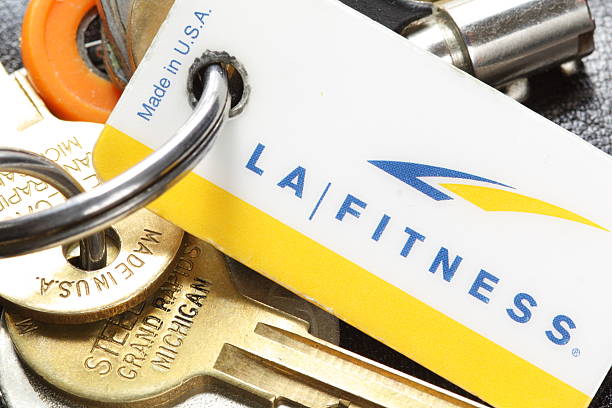
- Your Membership Barcode Number: This is on your key tag or in the LA Fitness app.
- Your Billing Address: Must match what they have on file.
- The Last 4 Digits of the Credit Card on File: This helps them verify your identity.
Method 1: The “Snail Mail” Method (Highly Recommended)
Best for: People who want a paper trail and want to avoid high-pressure sales pitches to stay.
This is the most secure way to cancel. Why? Because you can send it via Certified Mail. This gives you legal proof that they received your request, so they cannot claim “we never got your letter” while continuing to bill you.
Step 1: Write Your Cancellation Letter
You don’t need to be a lawyer. You just need to be clear. Use the template below.
Step 2: The LA Fitness Cancellation Template
Copy and paste the text below into a Word document or Google Doc. Fill in the bracketed information.
[Your Name] [Your Address] [City, State, Zip Code] [Your Phone Number] [Your Email Address]
Date: [Today’s Date]
To: LA Fitness International PO Box 54170 Irvine, CA 92619-4170 (Note: Double-check your specific contract, but this is the standard HQ address for cancellations)
Subject: Notice of Intent to Cancel Membership
To the Member Services Department,
Please accept this letter as formal notice to cancel my LA Fitness membership, effective immediately.
Below are my account details for identification:
- Member Name: [Your Name]
- Membership Barcode/ID: [Insert Barcode Number]
- Date of Birth: [MM/DD/YYYY]
- Billing Address: [Insert Address on File]
Please cease all future charges to my credit card/bank account ending in [Last 4 Digits].
I am requesting a written confirmation via email or mail stating that my membership has been cancelled and that no further dues will be charged. If my contract requires a final month’s payment, please process this immediately and ensure no further recurring billing occurs.
Thank you for your prompt attention to this matter.
Sincerely,
(Sign Here if printing)
[Your Printed Name]
Step 3: Print and Mail via Certified Mail
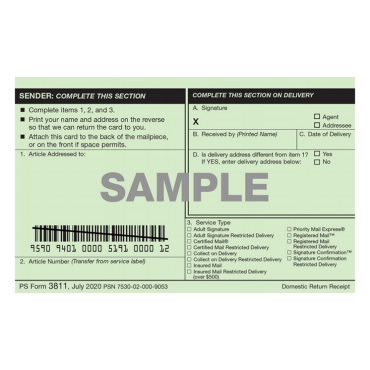
Do not just drop this in a standard mailbox. Go to the post office and ask for Certified Mail with Return Receipt Requested.
- Cost: It costs a few dollars more (~$4-$8).
- Benefit: You will get a green card or digital signature back proving they signed for it. If they keep charging you, this receipt is your golden ticket to win a credit card dispute.
Method 2: The In-Person Method (Fast but Awkward)
Best for: People who want it done right now and aren’t afraid of saying “No” to salespeople.
If you don’t want to wait for the mail, you can walk into your home club. However, there is a catch: you cannot just talk to the front desk staff. You must speak to the Operations Manager.
Step 1: Call Ahead to Confirm Hours
Operations Managers usually work standard business hours (Monday–Friday, 9 AM to 5 PM). They are rarely there on weekends or late nights. Call your local club and ask: “Is the Operations Manager in right now?”
Step 2: Request the Cancellation Form
Walk to the front desk and state clearly: “I need to speak to the Operations Manager to process a cancellation.” Do not settle for a sales associate; they may try to talk you into freezing your account instead.
Step 3: Sign and Get Proof

The manager will print a cancellation form. Read it carefully.
- Watch out for: “Freeze” or “Suspend” language. Ensure it says CANCEL.
- The Receipt: Once you sign, ask for a printed copy or take a picture of the signed form with your phone. Do not leave the building without physical proof.
Method 3: Can You Cancel LA Fitness Online?
Status: Only in specific states.
In recent years, “Click-to-Cancel” laws have been passed in states like California, New York, and Tennessee. If your billing address is in one of these states, you might see a cancellation option inside your account on the LA Fitness website.
- Log in to the LA Fitness Customer Portal.
- Go to Account Information.
- Look for a “Cancellation Form” or “Cancel Membership” link on the right side.
- If it’s not there, you are likely in a state where they are not legally required to offer it, and you must use Method 1 or 2.
Troubleshooting: What If They Keep Charging You?
It happens. You sent the letter, but next month—another $39.99 charge hits your account. Here is how to handle it.
1. Check Your Notice Period
Most LA Fitness contracts require a 30-day notice.
- Example: If your billing date is the 1st of the month, and you cancel on the 15th, you will likely be charged one more time on the 1st of the next month before the account closes. This is technically “legal” per the contract you signed.
2. Dispute the Charge with Your Bank
If you have been charged after the final 30-day window:
- Call your credit card company or bank.
- Tell them you want to dispute a transaction.
- Provide Evidence: Show them the Certified Mail receipt or the photo of the cancellation form you signed in person.
- Ask them to put a “Stop Payment” on LA Fitness.

Frequently Asked Questions (FAQ)
Q: Is there a cancellation fee for LA Fitness? A: If you are on a month-to-month plan, there is usually no cancellation fee. However, if you signed a specific term contract (like a 12-month commitment) and cancel early, you may be subject to a buyout fee. Check your specific agreement.
Q: Can I just cancel my credit card to stop the membership? A: Do not do this. If the gym does not receive payment, they will not just cancel your membership; they will mark your account as “delinquent.” They may send your debt to a collections agency, which can negatively impact your credit score. Always cancel the membership formally first.
Q: Can I cancel over the phone? A: No. LA Fitness customer service representatives generally cannot process cancellations over the phone. They will direct you to mail a letter or visit the club.
Q: What is the address to mail the cancellation letter? A: As of 2026, the standard address is: LA Fitness, PO Box 54170, Irvine, CA 92619-4170. However, always double-check the “Contact Us” section of their website or your specific contract, as regional offices may vary.
Conclusion
Cancelling a gym membership shouldn’t require a law degree, but big chains like LA Fitness count on you giving up. Don’t let them win.
Use the template above, spend the extra few dollars on Certified Mail, and keep your receipt safe. Once you cut this tie, you’ll have extra cash in your pocket to spend on a workout routine that actually fits your lifestyle—whether that’s a home gym, a local studio, or just running in the park for free.
Have you successfully cancelled your LA Fitness membership? Let us know in the comments below which method worked for you!